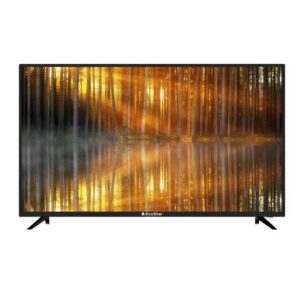
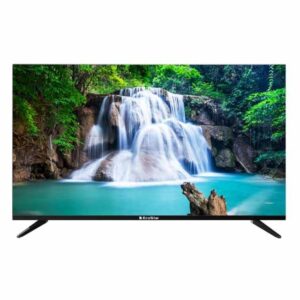
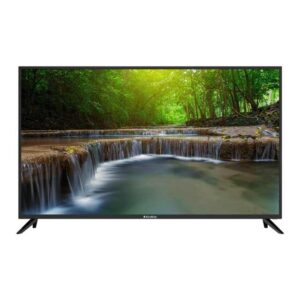
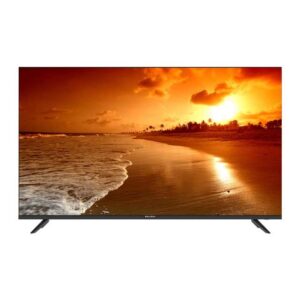
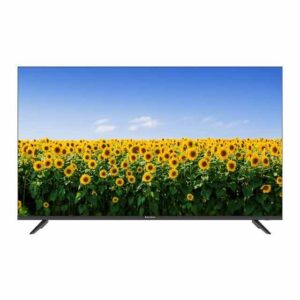
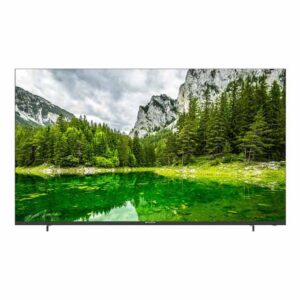
EcoStar 4K (UHD) TVs in Pakistan

Looking for a clear, practical guide to buying an EcoStar 4K (UHD) TV in Pakistan? You’re in the right place. Below you’ll find locally relevant advice—for Karachi apartments and Lahore lounges alike—so you can choose the right size, operating system, and features without overpaying. We’ll keep claims conservative (because specs and availability vary by model) and show you exactly how to confirm live price, warranty, and delivery before you buy.

Why Choose EcoStar 4K (UHD) at Sadaat Electronics

Trusted local retailer, easy to reach

Sadaat Electronics is a Karachi-based retailer you can actually visit and call. Our shop is in Mariam Center, Shop 5, Abdullah Haroon Road, Saddar—handy if you prefer to see the TV in person or arrange a quick pickup. You can also reach us at +92 330 9997564 to check stock and ask questions before placing an order. If you’re outside Karachi, we’ll guide you on delivery options and any city-specific charges so there are no surprises at checkout.
Because many buyers in Pakistan coordinate purchases over the phone or WhatsApp, we keep pre-sale support simple: confirm the exact model name, the operating system (Android or basic Smart), and the current availability window. This lets you line up accessories like wall mounts or soundbars, and ensures the TV you receive matches your expectations.

Genuine, Pakistan-ready units with verifiable coverage

Every EcoStar 4K TV we sell is sourced through official channels suitable for Pakistan’s power conditions and regional content ecosystem. Warranty terms and service arrangements vary by model and batch, so rather than giving you a blanket promise, we’ll help you verify the coverage for the exact model you’re considering. You can ask us in-store or by phone to confirm what the manufacturer covers and where to claim service if needed.
If you plan to mount the TV or connect external sound, let us know upfront. We’ll advise on compatible brackets (based on the set’s VESA pattern) and soundbar hookup options, so you can avoid last-minute runs to the market. This practical guidance matters more than flashy spec sheets—it’s what makes your setup stable and enjoyable from day one.

Live price, transparent availability

In Pakistan, prices can move with stock and currency changes, so the live price on our product cards is your source of truth. Browse current EcoStar 4K (UHD) models and see what’s available right now here: EcoStar 4K UHD category. If you’re eyeing a specific size (43″, 50″, 55″, or 65″), a quick call helps you lock in price, check color/stand variations, and ask about delivery timelines for your city.
We also encourage buyers to ask about promotional bundles—sometimes a wall mount, HDMI cable, or basic installation support can be combined at a better overall cost. When promotions are live, we’ll tell you the exact duration and eligibility so you can decide quickly and confidently.


Shop by Screen Size

43-inch 4K

The 43-inch class works well in tighter rooms where seating is 6–8 feet from the screen. In Karachi apartments or student hostels, you’ll appreciate 4K clarity for YouTube and drama serials without a TV that dominates your space. If you’re planning a wall mount, measure the wall width and nearby stud locations; a tilt mount helps reduce glare in rooms with daylight from a single large window.

For set-top boxes, ask your cable provider about HD channels; 4K TVs upscale lower-resolution content, but a cleaner HD source still looks better. If you often watch late at night, consider ambient lighting behind the TV to ease eye strain. And if space is tight, confirm that the TV’s stand footprint fits your table or get a slim wall mount to reclaim floor space.

50–55-inch 4K

Most Pakistan living rooms suit a 50–55-inch 4K, especially with 8–10 feet of viewing distance. It’s a sweet spot for family viewing, cricket matches, and light console gaming. At this size, placement matters: center the screen at eye level for seated viewers and keep power outlets within cable reach to avoid messy extensions. If your lounge faces west and gets afternoon sun, plan curtains to reduce reflections during matches.

Streaming looks excellent on a 50–55″ panel if your internet is stable. For a smooth experience, place the Wi-Fi router in the same room or budget for a mesh node. If you’ll connect a soundbar, check that the TV has a compatible digital audio output and confirm the cable length you’ll need to reach your console or cabinet.

65-inch 4K

A 65-inch screen delivers a cinematic feel when your seating is 10–12 feet back. It’s ideal for spacious lounges in Lahore or Islamabad homes, or for Karachi families who host big match nights. With a panel this size, check doorway widths and stairwell turns before delivery day; planning the path into the room avoids accidental damage. A low-profile wall mount can keep the screen visually tidy while maximizing perceived size.

Remember that larger panels make cables more visible. Plan your cable management—concealed conduits or surface trunking—before installation. If you’re pairing with a console or PC, verify you have enough HDMI ports for everything you use (console, STB, streaming box), and keep one spare for future upgrades like a 4K media player.

Pick Your Platform

EcoStar 4K Android TV

Android TV feels familiar if you use Android phones or Google services. You get Google Play for apps, built-in Chromecast for casting from your phone, and voice search on supported remotes. That means quick access to YouTube, Netflix, and other big names when your internet is stable. Exact app availability and remote features vary by model and year, so always confirm on the specific product page or by calling us.

If you want the most app choice with the least tinkering, Android TV is the safer pick. It also plays nicely with Google Home speakers and many Wi-Fi mesh systems used in Pakistani homes. For a focused view of options, browse our EcoStar Android TV range or compare across brands under Android TV (All brands). We’ll help you match the right size and OS to your room, router, and budget.

EcoStar 4K Smart TV

Non-Android “Smart” models use EcoStar’s own OS with a simpler home screen. You typically get core apps and screen mirroring without the deeper Google ecosystem. The interface is lighter, which many users find quick for basic streaming and cable TV switching. App choice and update pace, however, are more limited than Android TV and can differ by model.

Choose a non-Android Smart TV if you mainly watch cable, YouTube, or a few staple apps. It’s a good fit for guest rooms, hostels, or homes where you prefer a straightforward remote and simple menus. If you later need more apps, you can add a streaming stick to an HDMI port. To see the broader field and prices, compare in All 4K UHD TVs and our dedicated EcoStar 4K UHD category.

Built-in apps & regional content

EcoStar 4K models commonly support YouTube and major streaming platforms. Availability can change with app publisher policies and firmware, so treat the product page as the final word. In Pakistan, a stable 10–20 Mbps line per TV handles HD streams well; 4K streams can need more, especially in the evening. Place your router closer to the lounge or add a mesh node for a smoother experience.

For families mixing cable and streaming, set the TV’s home screen to show your most used inputs first. Keep your streaming app logins handy and enable auto-updates where available. If a favorite local app is essential, ask us to check the exact model’s support before you order. This avoids disappointment and ensures the TV you pick fits your daily viewing.

Picture Quality Essentials

4K UHD resolution & upscaling

4K UHD means about four times the pixel count of Full HD. You’ll notice sharper text, cleaner jerseys during PSL matches, and finer details in dramas. When watching regular cable, the TV upscales the picture to fill the screen. Results depend on the source quality, so HD cable channels or clean streams always look better.

On YouTube, many Pakistani creators upload in 1080p; good upscaling still helps. For true 4K, select the 2160p option inside the app when your line can handle it. If the image looks overly sharp, reduce “Sharpness” and avoid heavy noise reduction. Start with “Standard” or “Cinema” modes and fine-tune to taste.

HDR basics

HDR increases contrast, bringing brighter highlights and deeper darks. It helps city-lit scenes, sunsets, and stadium lighting look more lifelike. Common formats include HDR10 and HLG, but supported formats vary by model and year. Check the product page or ask us to confirm what your chosen TV handles.

Room light matters in Pakistan’s bright lounges. Use curtains during daytime cricket or enable the TV’s “Ambient Light” or “Adaptive” brightness if available. At night, a small bias light behind the TV improves perceived contrast. Set “Brightness” and “Contrast” conservatively first, then tweak for your room.

Panel & motion

Panel characteristics affect viewing angles and black levels. Some panels favor deeper contrast; others keep colors more consistent off-angle. Motion settings smooth fast action but can make dramas look artificial. For sports, a touch of motion smoothing can help; for films, many viewers prefer it off.

Gamers should check input options and the model’s supported refresh behavior. Console performance depends on the HDMI port and the TV’s processing, which differ by model. If you plan to use multiple devices—STB, console, and a soundbar—confirm port count early. We can advise the neatest setup for your lounge and cabinet space in Karachi or beyond.

Connectivity & Use Cases

Consoles & set-top boxes

Most Pakistan households run a mix of cable/STB plus streaming or gaming. Plan your HDMI layout before installation so each device has a dedicated port and you still keep one spare for future upgrades. Picture quality from cable depends on the provider’s output; HD channels look noticeably cleaner, while SD channels are upscaled by the TV. For gaming consoles or media players, use the TV’s labeled “HDMI (ARC)” for audio setups and keep high-bandwidth devices on the first ports if the model designates them for faster processing.

When you connect multiple sources, rename inputs (e.g., “STB,” “PS5,” “Streamer”) so family members find the right one quickly. Enable CEC (name varies by brand) if your devices support it; this lets one remote wake the TV and switch inputs automatically. Use decent-quality HDMI cables under 3 meters to avoid signal issues, and route cables away from power bricks to reduce interference. If your soundbar supports optical input, that’s often the simplest, stable path for TV audio.

Wi-Fi, Bluetooth & casting

Streaming stability depends more on your home network than on the TV itself. Position the Wi-Fi router closer to the lounge or add a mesh node if walls are thick. 2.4 GHz reaches farther in larger homes, while 5 GHz often gives smoother 4K streams at shorter range. Casting from Android phones typically works out of the box on Android TV models; for non-Android Smart TVs, mirroring methods and app catalogs vary by model, so check the product page or ask us to verify your must-have apps.

Bluetooth features—like pairing a soundbar or headphones—also depend on the specific TV. Many EcoStar 4K models support basic Bluetooth audio, while some rely on wired optical or HDMI ARC for best lip-sync. If your household uses iOS devices and you want simple casting, a compact streaming stick in an HDMI port is a practical add-on. We can help you choose the neatest network layout so everyone can stream smoothly during prime time.

Wall-mounting & cable management

For a clean, living-room-friendly setup, decide on the mount type before delivery: fixed for a slim profile, tilt to reduce glare in bright Karachi afternoons, or full-motion if you need angle flexibility. The TV’s VESA pattern (distance between mounting holes) varies by model; confirm it with us or on the product page to pick a compatible bracket. Aim to center the screen at seated eye level and keep power and antenna sockets within reach so the mount doesn’t pinch cables.

Plan cable management early to avoid a tangle after installation. Use short HDMI runs where you can, label both ends, and leave a gentle service loop behind the panel. If your wall can’t be chased, low-profile trunking keeps things tidy and easy to service. For rental apartments or hostels, a sturdy TV table with anti-tip straps can be safer than drilling into walls.

Prices & Installment Guidance

How pricing works

TV pricing in Pakistan moves with model year, screen size, stock position, and currency effects. That’s why the live price shown on our product cards is your source of truth at any moment. When you’re comparing, match like-for-like: exact model code, screen size, operating system (Android vs non-Android Smart), and current warranty coverage. If a deal looks unusually low elsewhere, check whether it’s a different OS or an older batch with different app support.

We recommend shortlisting two or three sizes that fit your room and budget, then calling us to confirm what’s physically in stock and the delivery/installation window for your city. If you’re balancing picture quality with price, consider whether a 50″ Android model serves your lounge better than a 55″ basic Smart model—or vice versa. For tighter budgets, some shoppers compare 4K to non-4K LED options; you can browse those here: EcoStar LED (non-4K).

Installments

Installment availability can depend on promotions and partner criteria, so we avoid blanket claims online. If you need installments, call us at +92 330 9997564 and we’ll share the current options, requested documents, and payment schedule if a plan is active. Some offers apply only to specific models or ticket sizes; others require in-person verification. We’ll spell out the effective monthly outlay and any one-time fees so you can budget clearly.

Prefer to keep things flexible? Another approach is to pair a value-oriented 4K model with a separate streaming stick or soundbar you can add later. This staggers spend while still delivering a strong day-one experience. Whatever path you choose, keep the invoice, warranty card, and serial number photos safe for future service.

How to secure a deal

Once you’ve picked a size and OS, call to reserve the unit under your name and confirm the live price. Ask us to note any add-ons you want—wall mount, HDMI cable length, or a basic setup—so our team prepares the right kit. If you’re outside Karachi, confirm the courier method, insurance, and delivery charges to your city. We’ll tell you the expected dispatch day and how to track it.

On delivery, inspect the carton for damage before opening, and power on the TV to verify the panel and ports. Keep the purchase invoice and warranty card together; we can help you register with the brand if required by the model. If you plan a professional wall mount, schedule it soon after delivery so the TV isn’t moved repeatedly.

Best-Fit Recommendations

Movie & drama binge-watchers

If your evenings revolve around Pakistani dramas and weekend movie nights, prioritize a model with robust app support and easy picture presets. Android TV options make it simple to load your preferred streaming apps and maintain them with auto-updates, which keeps playback smoother over time. In bright Karachi lounges, consider a tilt mount and curtains to manage reflections; this small step can improve perceived contrast as much as a spec bump you might pay more for. For seating about 8–10 feet away, 50–55 inches usually balances immersion with cost.

Start with “Cinema” or “Movie” picture modes, then adjust only a few controls: lower “Sharpness,” keep “Noise Reduction” moderate, and avoid over-saturated “Vivid” modes that can crush shadow detail in night scenes. If you add a soundbar, place it slightly forward of the TV stand edge to avoid muffling dialogue. Families in Lahore or Islamabad often split time between cable dramas and streaming; set the Home screen to keep your top apps and STB input in the first row for fast switching.

Sports fans

For PSL nights and weekend football, a larger screen helps track the ball and read score bugs comfortably. If space allows, 55 or 65 inches can be a leap in enjoyment at 10–12 feet viewing distance. Enable a light touch of motion smoothing only for fast action; keep it off or reduced for studio shows and films to avoid the “soap opera” effect. Remember that broadcast quality varies, so HD channels or clean streams will always look sharper on a 4K panel.

Group seating is common during big matches, so choose placements that widen the usable viewing area—slightly higher mounting and a gentle tilt can keep off-angle colors more consistent. Keep a spare HDMI port free for visiting friends who bring a streaming stick or console. If your lounge gets afternoon sun (common in west-facing Karachi apartments), schedule games with curtains drawn or angle the TV away from direct glare for a clearer picture.

Console & PC gamers

Gamers in Pakistan typically run a console plus a set-top box on the same TV. Assign fixed HDMI ports and label them (“PS5,” “STB”) to prevent accidental re-plugging. Check the specific model’s supported refresh behavior and input options before buying; not all ports are identical across a TV’s inputs. Keep high-bandwidth devices on the primary ports and test Game or Low-Latency modes where available to reduce input lag.

Good cable management matters if your console sits inside a cabinet—leave ventilation space and avoid bending HDMI cables at sharp angles. For late-night sessions, enable a warm color temperature to reduce eye strain and consider bias lighting behind the panel. If you plan to hook up a PC for 4K streaming and light gaming, a 50–55 inch screen at 8–9 feet is a practical sweet spot that keeps text readable while preserving desktop space.

FAQ

What warranty do EcoStar 4K TVs include?

Warranty coverage is provided via official channels and can vary by model and batch. We avoid blanket promises online so you can verify the exact coverage for the model code you’re buying. Call us or check the product page’s “Warranty” section for the unit you’ve shortlisted, and keep your invoice and serial number photos safe for future claims.

If a service center visit is required, we’ll guide you on the nearest option and what documents to bring. For buyers outside Karachi, we can help confirm whether on-site service or carry-in is applicable for your city and model. Always retain original packaging until you’re sure the TV is staying wall-mounted, as some services prefer safe transport in original cartons.

Yes—app support depends on the operating system and model year. Android TV models generally offer broader app availability and built-in Chromecast, while non-Android Smart models focus on core streaming and mirroring. Because app catalogs can change, review the product page for the exact model or ask us to verify your must-have apps before ordering.

To keep apps running smoothly, enable auto-updates where available and sign out of old accounts when gifting or moving the TV. If a niche local app is essential for your household, confirm compatibility first; otherwise a small streaming stick in an HDMI port provides a quick workaround.

As a simple rule, 55 inches is a confident choice at 10–11 feet, and 65 inches feels cinematic at 11–12 feet if the wall and doorway clearances allow. For smaller rooms or rental setups, a 50-inch panel at 8–10 feet still feels expansive without dominating the space. Always measure the intended wall area and the delivery path through doors and stairwells to avoid surprises on installation day.

If you host match nights or movie marathons, allow for extra seating and sightlines; a slightly higher mount and gentle tilt keeps the picture comfortable for people sitting off-center. Where glare is an issue, consider curtains or position the screen perpendicular to windows.

Most models support standard VESA mounting; the exact pattern and bolt size differ by model. Choose a fixed mount for a slim look, tilt for glare control, or full-motion if you need to angle toward different seating. Confirm the TV’s VESA pattern and weight rating, and use appropriate wall fasteners for brick, block, or drywall as applicable.

Plan power and antenna locations so cables reach without strain, and leave a small service loop behind the panel. If you’re in a rental or can’t drill, a sturdy TV table with anti-tip straps is a safe alternative. We can help you choose a bracket that matches your room and viewing height.

On Android TV, open Settings > Apps and enable auto-updates in Google Play; firmware updates appear in Settings > About or System. On non-Android Smart TVs, updates may arrive less frequently and through the brand’s own update menus. Keep the TV connected to a stable network and avoid interrupting the process once an update starts.

After an update, recheck picture and audio settings—some models reset certain preferences. If an app behaves oddly, sign out and back in, or clear cache/data where the menu allows. For persistent issues, contact us and we’ll help confirm whether a model-specific update is pending.