

No products in the cart.

4K (UHD)
Showing all 15 results
- 4K (UHD), Android TV, Ecostar 4K (UHD), Ecostar Android TV, LEDs & Audio
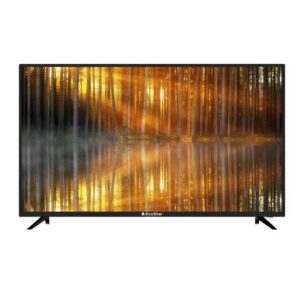
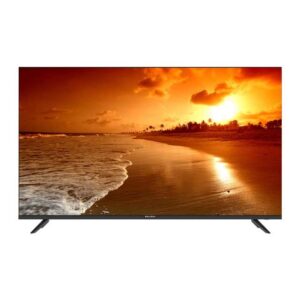
EcoStar CX-32U870 A+ LED TV
- 1 Year Official Brand Warranty
- Quality & Durability
- Android TV (Android 9.0 Pie)
- Smart Home Connectivity
- One Button Access
- Built in Google Play Store
- Dolby Digital
- HD Display
- Frame-less Design
- Chrome Cast
- Built-in Bluetooth
- Voice Search Remote
- 2 (2.0) USB Connectivity
- Wifi Supported
- Smart LED TV
- Energy Saving
- Google Play /Netflix/ Youtube/ Prime Video/ Daily Play/ Internet Browser/I casting/ Bluetooth Audio
SKU: n/a - 4K (UHD), Android TV, Ecostar 4K (UHD), Ecostar Android TV, LEDs & Audio
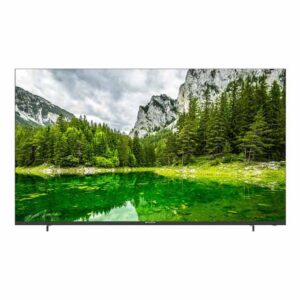
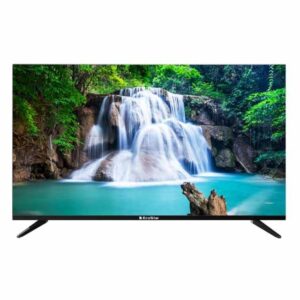
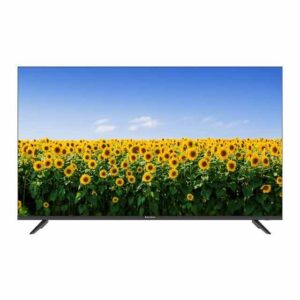
EcoStar CX-55UD963 A+ LED TV
 4K (UHD), Android TV, Ecostar 4K (UHD), Ecostar Android TV, LEDs & Audio
EcoStar CX-55UD963 A+ LED TV
- Latest Android 11
- Enjoy the world of IoT with Google Assistant
- Unlimited Applications
- Flawless Connectivity Bluetooth 5.1
- Built – in Chrome Cast
- Picture Perfect
- One Touch Access
- Quadcore Processor Gives Ultra Smooth Gaming Experience
- Ultra-High Definition
SKU: n/a - 4K (UHD), Android TV, Ecostar 4K (UHD), Ecostar Android TV, LEDs & Audio
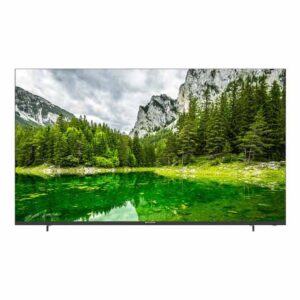
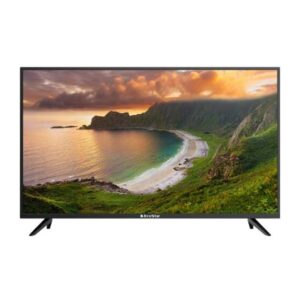
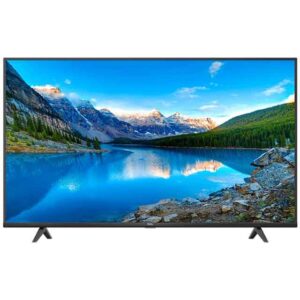
EcoStar CX-65UD963 A+ LED TV
 4K (UHD), Android TV, Ecostar 4K (UHD), Ecostar Android TV, LEDs & Audio
EcoStar CX-65UD963 A+ LED TV
- Latest Android 11
- Enjoy the world of IoT with Google Assistant
- Unlimited Applications
- Flawless Connectivity Bluetooth 5.1
- Built – in Chrome Cast
- Picture Perfect
- One Touch Access
- Quadcore Processor Gives Ultra Smooth Gaming Experience
- Ultra-High Definition
SKU: n/a
What is 4K (UHD) & who should buy it?
4K (also called UHD) is a screen resolution of 3840 × 2160 pixels—four times the detail of Full HD. In everyday viewing, that translates into sharper text, finer textures on faces, cleaner cricket pitch lines, and less “stair-stepping” on graphics. In Pakistan, where living rooms often sit 8–12 feet from the TV, 4K starts to make a visible difference from about 50 inches and up. If you’re upgrading from a 32"/40" HD set, the jump to a 50"–65" 4K TV is dramatic even on regular cable and absolutely stunning with streaming or Blu-ray.
Retailers and reviewers use “4K” and “UHD” interchangeably for TVs. Technically, “UHD” is the consumer TV standard (3840 × 2160) while “true 4K” (4096 × 2160) is a cinema standard. For shoppers, treat them as the same—when you see 4K TV or UHD TV on a box, it means the TV is the 3840 × 2160 model you want.
When 4K matters most: (1) big screens (55"–75"+), (2) close seating (apartment lounges where sofas are 6–8 ft away), (3) high-quality sources (Netflix 4K plans, YouTube 4K, PS5/Xbox, PC, 4K set-top boxes). Even if your source isn’t 4K, modern TVs upscale 1080p content to fill the 4K screen, which still looks cleaner than on a Full HD panel.
Picture quality isn’t only about resolution. HDR (High Dynamic Range) formats like HDR10, HDR10+, and Dolby Vision impact brightness and color more than pixels alone. That’s why a mid-range 4K TV with good HDR can look better than an entry-level 4K TV without it. We’ll guide you on what to look for, whether you’re a drama binge-watcher, sports fan, or gamer.
Prices in Pakistan vary by screen size, panel tech (LED vs QLED), refresh rate (60/120Hz), and brand warranty policies—as well as currency fluctuations and shipping. For current PKR, always check the product page or call/WhatsApp +92 330-9997564. You can also browse live listings here: 4K UHD TVs at Sadaat Electronics.
TL;DR: If you’re buying 50" or bigger, 4K is the practical sweet spot in 2025. Add HDR and (if you watch sports or game) consider higher refresh rates and HDMI 2.1. If you mostly watch standard cable from 12+ feet away on a 43" set, 4K is nice to have, but its benefits will be subtle until you move to larger sizes or better sources.
Shop by size: find the right 4K TV for your room
Choosing the perfect size is part screen, part seating distance, and part budget/electricity realities in Pakistan. Use this simple rule of thumb: ideal viewing distance ≈ 1.3–1.6 × screen diagonal. If your sofa is 8 ft (96 inches) away, a 55"–65" TV feels immersive without being overwhelming. Below are quick guides with typical local room setups (lounge, bedroom, drawing room).
43" 4K (UHD)—compact clarity for bedrooms and small lounges
Best for: bedrooms, small apartments, hostel rooms, or secondary TVs. At 43", 4K sharpness helps with on-screen text (news tickers, YouTube captions). You’ll see a mild difference over 1080p at 7–8 ft, but the real win is future-proofing for streaming and console use.
Typical setup in Pakistan: bed-to-TV distance of 6–9 ft; wall-mount above a dresser or opposite the bed. If you rely on Wi-Fi from a single router, place it within the same room or one wall away for stable 4K streaming. Power backup (UPS/inverter) users appreciate the lower power draw compared to larger sizes.
Quick picks filter: HDR support, at least 3 × HDMI ports, stable smart OS (Android/Google TV), and a Game mode. Search intents we cover: “Android 4K TV Pakistan,” “Smart 4K TV Karachi Lahore,” and “4K TV cash on delivery Pakistan” (availability varies by model and city).
50" 4K (UHD)—balanced choice for most living rooms
Best for: typical apartment lounges and mid-sized drawing rooms with 7–10 ft seating. 50" gives you a meaningful jump in immersion without a big jump in price or electricity bills. Sports fans will notice smoother ball tracking and finer grass textures even from cable HD channels; with 4K streams, it looks excellent.
Pakistan-specific note: if your lounge lighting is bright (tube lights, daylight from windows), consider a brighter panel or QLED for better punch. If you use a soundbar, look for eARC on one HDMI port to pass Dolby Atmos from apps to the bar cleanly.
Quick picks filter: HDR10/HDR10+, decent peak brightness, low input lag, and at least one HDMI 2.1 port if you own a PS5/Xbox Series X or a gaming PC. This size is a sweet spot for “Best 4K smart TV in Pakistan” searches thanks to value models with robust app libraries.
55" 4K (UHD)—the most popular size for immersive movie nights
Best for: 8–11 ft seating; most Pakistani lounges. This is where 4K detail really pops—skin textures, clothing patterns, and city skylines look convincingly lifelike. If your main intent is Netflix/YouTube, a 55" with strong HDR and a capable processor will outperform a basic 65" in overall picture impact.
Search intent match: “55 inch 4K TV price in Pakistan.” Pricing shifts with promotions and currency; compare specs like HDR format support, refresh rate (60 vs 120Hz), and warranty length rather than headline size alone. A well-tuned 55" with Dolby Vision/HDR10+ is a great long-term buy.
Quick picks filter: HDR10+/Dolby Vision, solid motion handling for cricket, Android/Google TV with voice search, and eARC for a future soundbar upgrade.
65" 4K (UHD)—cinematic scale for bigger lounges and drawing rooms
Best for: 9–12 ft seating; open-plan lounges; family movie nights. A 65" screen fills your field of view, making HDR content (bright highlights, rich shadows) much more noticeable. If you have stable fiber internet (or a good 4G/5G package), 4K streaming at this size is a treat.
Search intent match: “65 inch 4K TV price in Pakistan.” Expect a wider price spread here due to panel tech (LED vs QLED) and refresh rate options. If sports/gaming are priorities, look for 120Hz and HDMI 2.1. For bright rooms, QLED’s higher brightness can maintain color saturation during daytime viewing.
Quick picks filter: 120Hz options if budget allows, VRR/ALLM for consoles, and at least 2 × HDMI 2.1 ports if you plan to add a next-gen console plus an eARC soundbar.
75" and above—home-theatre feel without the projector hassle
Best for: large lounges, drawing rooms, or dedicated media areas with 10–14 ft seating. If you want that cinema-like presence for PSL finals or weekend blockbusters, 75"+ delivers—no blackout curtains or projector setup needed.
Pakistan-specific note: confirm door/lift clearance for delivery, and plan your wall mount with proper anchors. For power backup users, check the TV’s rated wattage and your UPS/inverter capacity. At this size, QLED models help combat bright rooms, while a 120Hz panel keeps motion smooth.
Quick picks filter: strong HDR formats, 120Hz with VRR for gaming, robust smart OS, and eARC. If you’re also researching monitors or projectors, note that “4K monitor price in Pakistan” and “4K projector price in Pakistan” follow different spec priorities (we cover these in the features and FAQ sections later).
Still unsure about size? Use these two checkpoints
1) Tape-out the footprint: Mark the TV’s width/height on your wall with masking tape. If the tape feels too small from your sofa, size up; too overwhelming, size down.
2) Measure the viewing distance: If you sit 8 ft away, shortlist 55"–65". At 10–12 ft, shortlist 65"–75". Once you know the bracket, compare features (HDR, refresh rate, HDMI 2.1) rather than chasing diagonal inches alone.
Browse live models and today’s availability via the category above. For quick advice, call/WhatsApp +92 330-9997564 or visit us at Mariam Center, Shop 5, Abdullah Haroon Road, Saddar, Karachi.
Note: Stock, delivery options, and cash-on-delivery availability can vary by city and model. Please confirm on the product page or by phone before placing an order.
Shop by use-case: pick a 4K (UHD) TV that fits how you watch
Movies & series (HDR-first viewing)
If your evenings revolve around Netflix, Prime Video, or YouTube Originals, prioritise HDR formats and brightness handling over raw resolution alone. In simple terms, 4K gives you detail; HDR adds lifelike punch—bright window reflections, neon signs at night, and shadow detail in dimly lit dramas. Look for models that support HDR10 at a minimum and, where budget allows, HDR10+ or Dolby Vision. These formats help preserve colour and contrast the way the director intended, so dark scenes don’t look grey and daytime scenes don’t look washed out under Pakistani daylight bulbs.
For a typical lounge in Pakistan (8–11 ft seating, white tube lights, one window), pick a TV with decent peak brightness and a competent local dimming algorithm (if available in your budget). If your lounge is sunlit during the day, consider higher-brightness panels or QLED variants to maintain colour saturation. Pair the TV with a soundbar via HDMI eARC so you can pass Dolby Atmos from built-in apps to the bar in one cable—cleaner and simpler than optical. The immediate result: cinema-like depth on Friday-night movies without fiddling every time.
Sports & live TV (motion handling first)
Cricket, football, and hockey benefit most from good motion handling. On entry 60Hz panels, today’s processors do a respectable job, but fast-panning shots can still blur. If your priority is sports, shortlist TVs known for clean motion interpolation and, budget permitting, a 120Hz panel. More important than the number is how the TV handles motion settings—look for options to adjust judder/blur separately so you can reduce soap-opera effect on dramas while keeping ball tracking clean during PSL matches.
Broadcast sources in Pakistan vary widely—from HD set-top boxes to streaming apps. To get the best out of live sports, use the app version of your channel where possible and connect via a stable 5 GHz Wi-Fi or, ideally, an Ethernet cable. A well-tuned 55"–65" 4K TV at 8–10 ft will make pitch textures, crowd shots, and graphics look crisp without over-smoothing faces. Keep a “Sports” or “Motion” preset saved, then switch back to “Movie/Filmmaker” for films to avoid over-processed frames.
Gaming (PS5, Xbox Series, and PC)
Gamers should put HDMI 2.1 and 120Hz on the checklist, along with VRR (Variable Refresh Rate) and ALLM (Auto Low Latency Mode). Together, these features reduce tearing and input lag, letting your PS5/Xbox Series X or high-end PC output 4K at high frame rates when supported. If your budget leans value, a responsive 60Hz set with a reliable “Game Mode” still delivers excellent results for story-driven titles and casual multiplayer; just prioritise low input lag and a clear Game dashboard so you can confirm frame rate and VRR status at a glance.
For living-room setups in Pakistan, aim for 55" or 65" if you sit 7–10 ft away; text in RPG menus and minimaps becomes noticeably easier to read in 4K. If you plan to use a soundbar, choose a TV with eARC on one HDMI 2.1 port and leave the other for your console or GPU. And remember: many 120Hz models offer only two HDMI 2.1 ports—plan your wiring so you don’t have to swap cables on match night.
Key features—explained simply (no jargon)
Resolution vs HDR vs colour: how each affects what you see
Resolution (4K) determines how much detail the TV can display—skin textures, hair, crowd shots. But detail alone doesn’t guarantee a “wow” picture. HDR (High Dynamic Range) determines how bright highlights get and how deep shadows remain without crushing detail. When HDR is done well, fireworks, sunsets, chrome trim on cars, and candle-lit scenes look more lifelike at the same 4K resolution. Finally, wide colour gamut (often marketed alongside HDR) expands the range of colours your TV can show—think richer greens on cricket pitches and more gradients in skies.
For buyers in Pakistan, a practical approach is: get the largest size your room and budget allow, then favour models with solid HDR support and reliable processing. Even regular HD sources benefit because modern 4K TVs upscale lower-resolution content intelligently—edges look cleaner, captions are crisper, and artefacts are reduced. As for 8K, content remains limited and prices are higher; for most households in 2025, 4K is the sweet spot for performance vs cost.
Refresh rate, HDMI 2.1, VRR/ALLM: who needs what?
60Hz vs 120Hz: A 120Hz panel can display more frames per second, which helps with fast sports and gaming. You’ll notice smoother motion on quick pans and better clarity on moving objects. If movies and dramas are your main content, a good 60Hz TV with solid motion processing is still excellent value. If you’re a serious gamer or a sports super-fan, the upgrade to 120Hz is worth considering—especially at 55" and above where motion blur is easier to spot.
HDMI 2.1 & friends: To carry 4K at 120fps, you need an HDMI 2.1 input on the TV and an HDMI 2.1-capable device/cable on the other side. VRR matches the TV’s refresh to the game’s frame rate to reduce tearing, while ALLM switches the TV into low-lag Game mode automatically. For living-room simplicity, check that one of the HDMI 2.1 ports is also eARC so you can pass high-quality audio (including Dolby Atmos) from TV apps to a soundbar or AVR without juggling extra cables.
Smart OS & apps: Android/Google TV and everyday streaming
In Pakistan, app availability and stability matter more than fancy menus. Android TV / Google TV offers a deep app library, voice control, built-in Chromecast, and regular updates for the most popular services. If your household watches a mix of Urdu/Hindi and international content, you’ll appreciate voice search to jump between apps quickly. Also look for dual-band Wi-Fi (2.4 & 5 GHz) and the option to use Ethernet; 4K streams are more reliable on wired connections, especially in apartments with thick walls.
For buyers who want a straightforward smart experience with casting from Android phones, start with our Android TV category. You’ll find 4K models that handle the basics (YouTube, Netflix, Prime, sports apps) and pair nicely with affordable soundbars. Tip: keep your streaming apps signed in and disable unnecessary motion effects in Movie mode for films—your shows will look more natural and less “video-ish.”
QLED vs standard LED (and a quick OLED note)
Standard LED (LCD with LED backlight) remains the value leader: bright enough for most rooms, energy-efficient, and available in every size from 43" to 85"+. If you’re budget-conscious or upgrading from a 32"/40" set, a well-tuned LED 4K TV already delivers a massive leap in clarity and app convenience. The key is to pair it with decent HDR support and, for sports/games, a responsive motion engine.
QLED (quantum-dot LED) adds a layer that improves colour volume and brightness, which helps maintain punch in sunlit lounges and against white tube lights common in Pakistani homes. If you mostly watch daytime cricket or prefer vibrant animated content, QLED can be worth the premium. OLED sets offer deep blacks and stunning contrast for movie nights, but they are typically pricier and available in fewer sizes; availability also varies by brand and city. If your viewing is mixed and you’re mindful of budget, a good QLED or higher-tier LED often strikes the best balance.
Prices in Pakistan: how to compare—without overpaying
What actually drives the price of a 4K (UHD) TV?
Sticker prices in PKR move with more than just screen size. The main cost drivers you’ll see on product pages in Pakistan are:
- Size bracket: each jump (50→55→65→75 inches) increases panel cost and shipping/handling requirements.
- Panel type: standard LED is the value baseline; QLED adds colour volume/brightness for sunlit rooms and typically costs more.
- Refresh rate: 120Hz models (popular with gamers and sports fans) sit at a premium over 60Hz lines.
- HDR support & processor: better tone-mapping, local dimming, and stronger upscaling add to price—and picture quality.
- Connectivity: extra HDMI 2.1 ports, eARC, and robust Wi-Fi modules can push models into higher tiers.
- Warranty & logistics: warranty length and service network, plus nationwide delivery costs and exchange-rate changes, affect PKR at checkout.
Bottom line: decide your size and use-case first (movies, sports, gaming), then pay for the features you’ll use every day. That approach gives you the best value—not just the biggest diagonal.
How to compare prices by size (43", 50", 55", 65", 75"+)
43" & 50": These are the most budget-friendly paths into 4K for bedrooms and small lounges. Prioritise a stable smart platform (Android/Google TV), 3+ HDMI ports, and HDR10 support. A good 50" often provides the best “first 4K” value.
55": The sweet spot for most Pakistani lounges. You’ll find the widest range of models here, from entry LED to brighter QLED options. If you stream and watch sports, weigh the benefit of stronger HDR against paying extra for 120Hz—you may not need 120Hz if you don’t game.
65": Expect a broader price spread due to 120Hz and QLED options. If your lounge is bright or your family watches daytime cricket, a QLED 65" can justify its premium versus a dimmer LED.
75"+: Prices rise due to panel size and shipping. Double-check power draw for UPS/inverter setups, doorway/lift clearance for delivery, and whether you want professional wall-mounting included or arranged separately.
Across all sizes, you’ll see queries like “4K TV price in Pakistan,” “55 inch 4K TV price in Pakistan,” and “65 inch 4K TV price in Pakistan.” Because promotions and currency move, treat any list price as a snapshot—verify the live price on the product page or call/WhatsApp +92 330-9997564 for today’s PKR.
Value checklist (so you pay for the right things)
- Movies/series: HDR10 (baseline), HDR10+ or Dolby Vision if budget allows; eARC for a soundbar; decent peak brightness for tube-lit rooms.
- Sports: clean motion settings; 120Hz if you’re sensitive to blur or love fast-paced football/cricket.
- Gaming: HDMI 2.1, 120Hz, VRR/ALLM; a clear Game mode dashboard to keep input lag low.
- Smart OS: Android/Google TV for apps, casting, voice—less time fiddling, more time watching.
- Room fit: 55–65" at 8–11 ft seating is the practical “wow” zone for most Pakistani lounges.
Tip: When two TVs are similarly priced, pick the one with better HDR handling or an extra HDMI 2.1 port over a marginal size bump—you’ll feel that benefit daily.
Brands & quick access (shop the right shelves fast)
TCL 4K (UHD)—value picks with popular smart features
Known for strong value and wide model coverage, TCL’s 4K lineup often includes vibrant QLED options alongside dependable LED sets—good fits for family streaming, sports, and casual gaming. Start browsing here to compare size and feature tiers side by side: TCL 4K UHD at Sadaat Electronics.
EcoStar 4K (UHD)—practical features for everyday viewing
EcoStar offers approachable 4K models that focus on the essentials—clean picture, familiar smart experience, and sizes that suit apartment lounges and bedrooms. See what’s available today: EcoStar 4K UHD at Sadaat Electronics.
Exploring more options
If you’re researching QLED 4K, Android 4K TVs, or premium lines from brands like Samsung, Sony, or Hisense, use the parent category to scan all current subcategories and filter by price/size in one place: LEDs & Audio at Sadaat Electronics. Availability can vary by city and model; if you don’t see a specific variant, call/WhatsApp and we’ll guide you to the closest match or upcoming stock.
Delivery, installation & payment (Pakistan-focused)
Delivery timelines & what to expect
Delivery times vary by city, model, and courier capacity. Karachi deliveries are often faster given our showroom location; up-country routes may take longer or require scheduling for larger sizes like 75"+. We’ll share an estimated window at checkout; for urgent timelines (gifting, event nights), please call +92 330-9997564 before ordering so we can advise on the fastest option for your address.
Unboxing, wall-mounting & setup
Most TVs include a table stand in the box; wall mounts may be bundled or sold separately depending on the model. If you prefer a wall mount, decide the height before delivery and ensure the wall can accept proper anchors (especially in new constructions). Some brands arrange installation themselves; others require a separate booking. If you need help coordinating, we’ll point you to the right service when you share your order number and city.
After mounting, set the TV to a sensible baseline: Movie/Cinema mode for shows, disable overly aggressive motion smoothing for films, and enable Game mode on the HDMI port you use for PS5/Xbox. If you’re using a soundbar, connect it to the TV’s HDMI eARC port and select “Passthrough/Auto” so Dolby Atmos (where supported) reaches the bar cleanly.
Payment methods, cash on delivery & returns
We support common digital payment methods; details appear at checkout. Cash on delivery (COD) may be available on select items and locations—please confirm COD eligibility for your exact model and address before you place the order. For large screens (65"+), COD availability can be limited due to courier handling rules.
Returns, exchanges, and warranty claims follow the brand and store policy listed on each product page. Keep your invoice and original packaging until you’ve tested the TV in your room. If you notice an issue on delivery (panel damage, missing accessories), contact us immediately so we can guide you on the next steps. For quick help, call/WhatsApp +92 330-9997564 or visit the showroom: Mariam Center, Shop 5, Abdullah Haroon Road, Saddar, Karachi.
Helpful mini-guides
Picture settings starter pack (5 minutes to better quality)
Start in Movie/Cinema or Filmmaker mode for films and series—these modes target accurate colour and reduce harsh edge enhancement. Set Sharpness near zero to avoid halos around graphics; true detail comes from 4K, not fake sharpening. Adjust the Backlight/Brightness for your room’s light rather than pushing the Contrast to extremes; if whites clip (lose detail), back off slightly. For HDR content, make sure HDR is enabled on the HDMI input you use for consoles/streamers.
For sports, enable your TV’s Motion or Sports preset and fine-tune Judder/Blur sliders so the ball tracks cleanly without making people look like soap operas. For gaming, turn on Game Mode on the specific HDMI port connected to your PS5/Xbox/PC to cut input lag. Save these presets so switching between them is two clicks before the match or movie night.
Ports you’ll actually use (and why they matter)
Use an HDMI 2.1 port for next‑gen consoles and high‑frame‑rate PCs; this is required for 4K at 120fps and VRR on supported models. Reserve the TV’s eARC port for your soundbar or AVR so streaming apps can pass Dolby Atmos and high‑quality audio without extra cables. If your router is nearby, Ethernet gives the most stable 4K streams; otherwise, connect to the 5 GHz Wi‑Fi SSID rather than 2.4 GHz for higher throughput.
USB ports are handy for local media playback and powering streaming sticks. If you run out of HDMI ports, a quality HDMI switch can help, but plug bandwidth‑heavy devices (consoles/PC) directly into the TV to avoid handshaking issues. Optical audio remains a fallback if your bar lacks eARC, but it won’t carry the newest immersive formats.
Bandwidth tips for smooth 4K streaming in Pakistan
For a single 4K stream, target a steady 15–25 Mbps. If multiple family members stream at once, budget more bandwidth per device. Place the router in the same room or one wall away and elevate it on a shelf to reduce interference. Thick walls and apartment layouts can sap signal strength; a simple Ethernet cable to the TV or a mesh Wi‑Fi node near the lounge is often the cleanest fix.
If you rely on 4G/5G, check your plan’s fair‑use limits; 4K uses more data than HD. In smart TV settings, enable “Match frame rate” or “Adaptive refresh” if available for smoother playback. Keep TV firmware and streaming apps updated; many stability fixes arrive quietly via updates.
Using a 4K TV as a PC monitor
Sit a bit closer than you would for TV shows to take advantage of pixel density; many people prefer 3–5 feet with a 43"–50" used as a monitor. In Windows, set scaling to 125–150% so text is crisp without eye strain. Look for a TV mode that enables 4:4:4 chroma for sharp text over HDMI; this keeps coloured edges from looking fuzzy.
Enable Game/PC mode to lower input lag for mouse movement. If the TV supports 120Hz, use it for smoother cursor motion and scrolling. For colour‑critical work, a dedicated 4K monitor with calibrated profiles still makes sense—but for mixed work/play from the sofa, a good 4K TV is wonderfully versatile.
FAQs
Is 4K the same as UHD?
In TV shopping, yes—retailers use them interchangeably. Technically, UHD is 3840 × 2160 (TV standard) and “true 4K” is 4096 × 2160 (cinema), but for home use you can treat them as the same.4K vs HDR—what matters more?
They solve different problems. 4K increases detail, while HDR improves brightness and colour contrast. A mid‑range 4K TV with solid HDR often looks better than a basic 4K TV without good HDR.Do I need 120Hz?
It helps for fast sports and gaming. For films and dramas, a well‑tuned 60Hz TV with good motion processing looks great. If you game on PS5/Xbox Series X or are sensitive to blur, 120Hz is worth it.
Is 8K worth it in 2025?
Content is limited and prices are higher. For most homes in Pakistan, a quality 4K set offers the best performance‑to‑price balance.
What is upscaling and why does it matter?
Upscaling lets the TV convert HD sources to fit the 4K screen. Better processors make edges cleaner and reduce artefacts, so cable HD and YouTube look more polished.55" vs 65" for an apartment lounge in Karachi?
At 8–11 ft seating, both work. If your room is bright and you watch a lot of sports, a brighter 65″ (especially QLED) can feel more cinematic. If budget is tighter, a strong 55″ with good HDR is a smart buy.Android 4K TV vs non‑Android?
Android/Google TV offers broader apps, Chromecast, and voice search. Non‑Android platforms can be simpler but may have fewer local apps. If your family uses Android phones, Android/Google TV feels seamless.Dolby Vision vs HDR10+—do I need it?
Both are premium HDR formats that adjust scene‑by‑scene. They’re nice to have, but HDR10 alone can still look excellent when paired with good brightness and tone‑mapping.Can I use a 4K TV as a PC monitor?
Yes. Sit closer, enable 4:4:4 chroma/PC mode, and use 120Hz if available for smoother scrolling. For colour‑critical tasks, a calibrated 4K monitor is still better.Samsung/TCL 4K TV price in Pakistan—how do I check?
Prices change with promotions and exchange rates. Open the relevant brand category on our site or call/WhatsApp +92 330-9997564 for today’s PKR and availability.
4K monitor price in Pakistan vs 4K TVs?
Monitors prioritise pixel density, refresh rate, and colour accuracy for desk use, while TVs focus on HDR impact, smart apps, and viewing distance. If you sit at a desk, a 27–32″ 4K monitor is usually the better choice; for the sofa, a 55–65″ 4K TV wins on immersion.4K projector price in Pakistan—should I consider one?
Projectors shine in dark, dedicated rooms and need a screen plus controlled light; total cost can exceed a large TV once you add installation and audio. For bright Pakistani lounges, a 65″+ 4K TV is simpler and more consistent day‑to‑day.Is cash on delivery (COD) available for 4K TVs?
COD may be available on select items and locations. Please confirm eligibility for your model and address before ordering; larger screens may have limited COD due to courier policies.How do warranties and service work?
Warranty coverage depends on the brand and model. Keep your invoice and original packaging, and contact us promptly if you spot an issue on delivery so we can guide you on the next steps.It helps for fast sports and gaming. For films and dramas, a well‑tuned 60Hz TV with good motion processing looks great. If you game on PS5/Xbox Series X or are sensitive to blur, 120Hz is worth it.
Content is limited and prices are higher. For most homes in Pakistan, a quality 4K set offers the best performance‑to‑price balance.
Upscaling lets the TV convert HD sources to fit the 4K screen. Better processors make edges cleaner and reduce artefacts, so cable HD and YouTube look more polished.At 8–11 ft seating, both work. If your room is bright and you watch a lot of sports, a brighter 65" (especially QLED) can feel more cinematic. If budget is tighter, a strong 55" with good HDR is a smart buy.Android/Google TV offers broader apps, Chromecast, and voice search. Non‑Android platforms can be simpler but may have fewer local apps. If your family uses Android phones, Android/Google TV feels seamless.Both are premium HDR formats that adjust scene‑by‑scene. They’re nice to have, but HDR10 alone can still look excellent when paired with good brightness and tone‑mapping.Yes. Sit closer, enable 4:4:4 chroma/PC mode, and use 120Hz if available for smoother scrolling. For colour‑critical tasks, a calibrated 4K monitor is still better.Prices change with promotions and exchange rates. Open the relevant brand category on our site or call/WhatsApp +92 330-9997564 for today’s PKR and availability.
Monitors prioritise pixel density, refresh rate, and colour accuracy for desk use, while TVs focus on HDR impact, smart apps, and viewing distance. If you sit at a desk, a 27–32" 4K monitor is usually the better choice; for the sofa, a 55–65" 4K TV wins on immersion.Projectors shine in dark, dedicated rooms and need a screen plus controlled light; total cost can exceed a large TV once you add installation and audio. For bright Pakistani lounges, a 65"+ 4K TV is simpler and more consistent day‑to‑day.COD may be available on select items and locations. Please confirm eligibility for your model and address before ordering; larger screens may have limited COD due to courier policies.Warranty coverage depends on the brand and model. Keep your invoice and original packaging, and contact us promptly if you spot an issue on delivery so we can guide you on the next steps.