

No products in the cart.

Android TV
Showing all 15 results
- 4K (UHD), Android TV, Ecostar 4K (UHD), Ecostar Android TV, LEDs & Audio
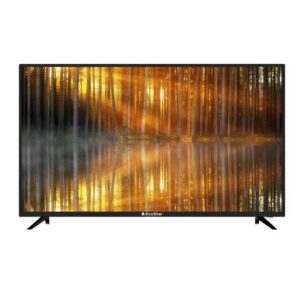
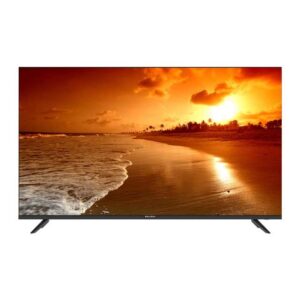
EcoStar CX-32U870 A+ LED TV
- 1 Year Official Brand Warranty
- Quality & Durability
- Android TV (Android 9.0 Pie)
- Smart Home Connectivity
- One Button Access
- Built in Google Play Store
- Dolby Digital
- HD Display
- Frame-less Design
- Chrome Cast
- Built-in Bluetooth
- Voice Search Remote
- 2 (2.0) USB Connectivity
- Wifi Supported
- Smart LED TV
- Energy Saving
- Google Play /Netflix/ Youtube/ Prime Video/ Daily Play/ Internet Browser/I casting/ Bluetooth Audio
SKU: n/a - 4K (UHD), Android TV, Ecostar 4K (UHD), Ecostar Android TV, LEDs & Audio
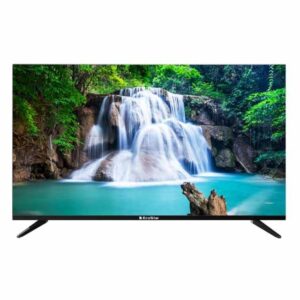
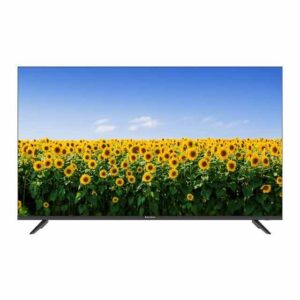
EcoStar CX-55UD963 A+ LED TV
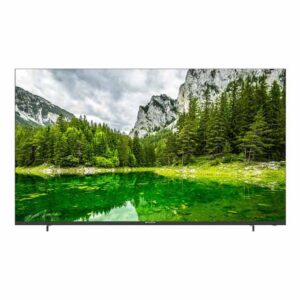 4K (UHD), Android TV, Ecostar 4K (UHD), Ecostar Android TV, LEDs & Audio
EcoStar CX-55UD963 A+ LED TV
- Latest Android 11
- Enjoy the world of IoT with Google Assistant
- Unlimited Applications
- Flawless Connectivity Bluetooth 5.1
- Built – in Chrome Cast
- Picture Perfect
- One Touch Access
- Quadcore Processor Gives Ultra Smooth Gaming Experience
- Ultra-High Definition
SKU: n/a - 4K (UHD), Android TV, Ecostar 4K (UHD), Ecostar Android TV, LEDs & Audio
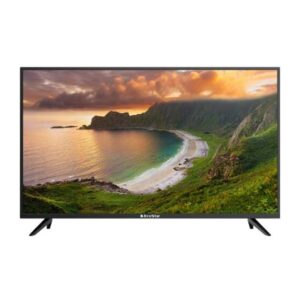
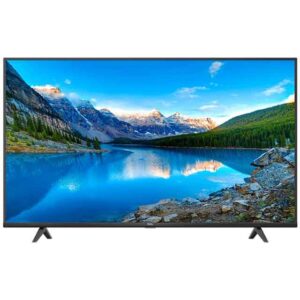
EcoStar CX-65UD963 A+ LED TV
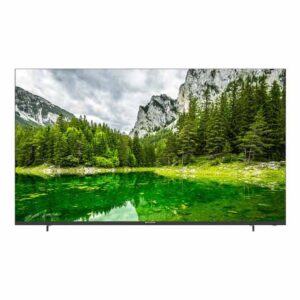 4K (UHD), Android TV, Ecostar 4K (UHD), Ecostar Android TV, LEDs & Audio
EcoStar CX-65UD963 A+ LED TV
- Latest Android 11
- Enjoy the world of IoT with Google Assistant
- Unlimited Applications
- Flawless Connectivity Bluetooth 5.1
- Built – in Chrome Cast
- Picture Perfect
- One Touch Access
- Quadcore Processor Gives Ultra Smooth Gaming Experience
- Ultra-High Definition
SKU: n/a
Android TV in Pakistan — Shop by Size, Brand & Features
Discover Android TV with the apps you actually use in Pakistan — YouTube, Netflix, Prime Video, cricket highlights, kids’ shows and more — all powered by Google’s ecosystem with voice search and Chromecast built in. At Sadaat Electronics (Mariam Center, Shop 5, Abdullah Haroon Road, Saddar, Karachi), our in-store team helps you match the right size, resolution and budget to your room and viewing habits. Prefer quick guidance by phone or WhatsApp? Call +92 330 9997564.
Below, start with size (because it impacts viewing distance, comfort and price), then consider resolution, motion and smart features. Prices and availability update frequently with market conditions; always check the live product tiles on this category page for the latest.
Shop by Screen Size
32–43 inch (ideal for bedrooms, hostels & compact lounges)
If your space is tight — think Karachi apartments, student hostels or a kids’ room — a 32–43 inch Android TV gives you the essentials without crowding the wall. Expect HD or Full HD panels, the core streaming apps, and simple voice search. For casual TV, YouTube, dramas and cartoons, this range is often the most budget-friendly way to get a proper smart experience.
What matters in this range:
- Resolution: HD (32") or FHD (40–43") looks clean at short viewing distances.
- Wi-Fi & apps: Ensure Play Store access and your must-have apps are pre-installed or easily downloadable.
- Ports: At least 2× HDMI for a set-top box and a spare (console or media stick), plus USB for playback.
- Audio: Built-in speakers are fine for bedrooms; you can add a compact soundbar later.
- Warranty: Check the warranty duration on the specific product page before purchase.
50–55 inch (the Pakistan lounge sweet spot)
For most family lounges in Pakistan, 50–55 inch hits the balance between immersion and value. You’ll typically step up to 4K resolution, better contrast and larger app interfaces that are easier for family browsing. Cricket, action movies and drama serials feel more cinematic at normal sofa-to-TV distances (about 7–10 feet for many homes).
What matters in this range:
- 4K panel + HDR basics: Look for reliable 4K playback and HDR10 support for brighter highlights.
- Motion handling: A good 60Hz panel is fine for most content; motion smoothing (MEMC) can help with fast sports.
- App fluidity: Newer chipsets and RAM help Android TV feel snappier when switching apps or casting.
- Connectivity: Multiple HDMI ports for set-top box, console and streaming stick; Bluetooth for headphones or speakers.
- Mounting: Wall-mounting frees floor space and can improve viewing angles in compact lounges.
65 inch & above (cinema-style at home)
When you want a big-screen experience for cricket finals, Eid family gatherings or movie nights, 65 inch and beyond delivers immersion. You’ll commonly find stronger brightness, wider color and better upscaling — useful because much local content still streams below 4K. If you game on a console or plan a living-room home theater, this tier is worth shortlisting.
What matters in this range:
- Brightness & color: Look for panels with solid HDR performance so bright Pakistani daytime rooms remain watchable.
- Upscaling: Good processing makes HD and FHD channels look sharper on a large 4K screen.
- Sound: Larger rooms benefit from a soundbar or AV receiver; check for eARC on HDMI if you plan upgrades.
- Sturdy mounting & distance: Ensure proper brackets and at least ~8–12 feet viewing distance for 65"+.
- Power usage: Consider energy-saving modes to manage bills during peak-hour tariffs and load-shedding.
Tip: If you’re between sizes, measure the wall and typical sofa distance first. A well-placed 50–55 inch often feels better than an oversized screen squeezed into a tight corner.
Choose by Resolution & Motion
FHD vs 4K — which is right for your room?
If your viewing distance is short (for example, a 10×12 ft room with the sofa 6–8 ft from the TV), a good Full HD (1080p) panel on a 40–43 inch Android TV can look crisp for dramas, kids’ shows and YouTube. You’ll also spend less upfront, which helps if you’re prioritising budget or furnishing multiple rooms. However, if you plan to sit 7–10 ft away on a 50–55 inch screen, 4K delivers visibly finer detail in nature documentaries, movies and sports replays. The extra pixels also make menus and subtitles smoother, which families appreciate during long binges. In short: FHD works well for smaller screens and tight spaces; 4K shines once you cross ~50 inches or want more future-ready clarity.
Your internet plan matters too. Many Pakistani households stream mixed-quality content: local channels via set-top box, HD YouTube, and occasional 4K clips. A 4K TV will still upscale HD content nicely, so you won’t “waste” the panel if your connection varies. If you primarily watch cable TV or older HD boxes, choose a TV known for solid upscaling; it reduces noise and jagged edges on big screens. If you regularly stream 4K movies or cricket highlights, a 4K panel is the smart baseline for the next few years.
Motion clarity (60Hz vs higher, MEMC) — when it matters
Most Android TVs in Pakistan ship with 60Hz panels, which are fine for dramas, news and YouTube content. For fast-moving sports like cricket or football, motion interpolation (often called MEMC) can make pans and tracking shots appear smoother. Some viewers love that ultra-fluid look; others prefer the natural cadence and turn it off. The good news: even on 60Hz, a brand with decent processing will handle motion cleanly for everyday viewing. If you’re sensitive to blur, shortlist models that mention improved motion handling or a “sports mode.”
Gamers should focus on input lag and HDMI features rather than chasing high refresh rates at any cost. Console players at 60fps will be well served by a responsive 60Hz TV; if you own a newer console and want smoother gameplay, look for TVs that clearly state support for enhanced gaming modes and low latency. Always check that you have enough HDMI ports for your console, set-top box and any sound system you plan to add. As a practical rule: if sports/gaming are top priorities, compare motion settings in-store or ask our team to demo the same clip across two models.
HDR basics (HDR10/Dolby Vision) in plain terms
HDR (High Dynamic Range) expands the contrast and colour range so bright highlights look brighter and dark scenes keep more detail. What you’ll notice first is punchier sunsets, clearer text over bright backgrounds and more depth in movie scenes. HDR10 is the common baseline; some models add Dolby Vision for scene-by-scene tone mapping. If your budget allows, picking a TV with stronger HDR support is worthwhile for films and premium streaming — but the panel’s brightness and processing are just as important as the logo on the box.
In Pakistani living rooms with daylight and reflective tiles, brightness matters. A TV that sustains decent brightness will keep HDR highlights visible even with curtains open. Don’t worry if your content mix is mostly HD cable; good HDR-capable sets still play standard content normally. Treat HDR as a nice upgrade for movie nights and special events, not a must-have for everyone. If you want guidance, visit our Saddar, Karachi store and we’ll show you the same video on two displays so you can pick the image you prefer.
Shop by Brand (Official Stock & Local Support)
We focus on models that balance reliability, picture quality and app stability for Pakistan. Availability changes with shipment cycles and promotions, so always check the live product tiles for current models and prices. Below is a quick, neutral guide to popular Android TV brands we typically carry; where we maintain a category, we’ve linked it so you can browse in seconds.
Ecostar Android TV
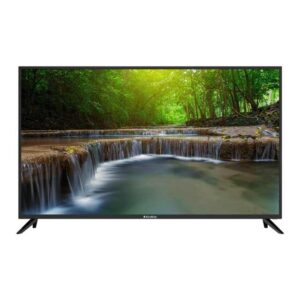
Known for practical value and wide size coverage, Ecostar Android TVs suit bedrooms and family lounges alike. You’ll usually find clean Android interfaces, essential streaming apps and straightforward remotes with voice search. For budget-focused buyers setting up a guest room or hostel space, an Ecostar in the 32–43 inch range is a sensible pick. Larger living rooms benefit from their 50–55 inch 4K options, which balance price and features well for daily dramas, cricket and YouTube. Explore current models here: Ecostar Android TV models.
When shortlisting, compare the number of HDMI ports, Bluetooth support, and the app row on the product page to confirm the services you use most. If you plan to attach a soundbar, check for HDMI ARC/eARC to simplify control. For families sharing screens between cable and streaming, Ecostar’s simple input switching is helpful. And if you’re upgrading from an older non-smart LED, Android casting from phones will feel like a big quality-of-life jump.
TCL Android TV
TCL often offers strong 4K value and punchy colours that make sports and movies pop. Many models feature responsive Android performance, making app switching and voice search snappy for day-to-day use. If your lounge is the main entertainment space, TCL’s 50–55 inch sets are a popular sweet spot for Pakistani homes. Look for models that mention enhanced motion handling if cricket and football are priorities. See current options here: TCL Android TV lineup.
Pay attention to build, stand stability and wall-mount compatibility if you have energetic kids or a compact TV console. If you plan to add a soundbar, make sure the HDMI port list includes ARC/eARC and that Bluetooth pairing is supported. For mixed content (set-top box + streaming), TCL’s upscaling on mid-tier models can keep HD channels looking tidy on 4K panels. Ask our team for an in-store comparison if you want to see TCL side-by-side with another brand at the same size.
Other popular brands in Pakistan (Sony, Xiaomi, Hisense, Changhong Ruba)
If you’re hunting for a specific brand or feature set, tell us what matters most: colour accuracy for movies, app stability for kids, or motion for sports. Sony models are known for polished processing that cleans up HD sources on big screens; Xiaomi and Hisense often deliver compelling value with modern Android builds; Changhong Ruba caters well to budget-driven setups and guest rooms. Availability varies by shipment and model year, so we’ll guide you toward the closest match in your price band when you visit or call. The key is to align size, resolution and connectivity first — then pick the brand whose interface and remote feel the most comfortable for your family.
Whichever brand you choose, confirm must-have apps on the product page, count your HDMI devices, and note the room’s lighting. Those three checks eliminate most regrets. If you ever feel stuck between two models, we can demo the same clip and soundbar pairing to highlight the differences you’ll actually notice at home. For quick advice before you visit Mariam Center (Saddar, Karachi), call or WhatsApp +92 330 9997564; we’ll narrow your shortlist in minutes.
Filters that Save Time (and Money)
Must-use filters
Start with size, then narrow by price band and resolution; this flow mirrors how Pakistani households actually shortlist for a lounge or bedroom. Size ensures the TV won’t overwhelm your wall or feel tiny from the sofa; price band protects your budget and avoids upsells you don’t need. Once those two are set, pick resolution (FHD or 4K) based on viewing distance and your content mix. Finally, compare warranty and model year so you’re not paying last year’s price for older hardware. This fast sequence gets you to a focused, apples-to-apples comparison within minutes.
After that, refine with “must-have” features instead of chasing spec lists. If the TV is for a kids’ room or hostel, prioritise the basics: stable Wi-Fi, two or more HDMI ports, and easy access to common apps. For a main lounge, add motion handling and HDR to your checklist. If you plan to upgrade sound later, ensure ARC/eARC support so one remote can control TV and soundbar. When in doubt, ask us to show two shortlisted models side by side with the same clip; seeing the difference in our Saddar store often makes the choice obvious.
- Quick stack: Size → Price band → Resolution → Warranty/model year.
- Use the compare toggle (where available) to view ports and app support at a glance.
- Shortlist 2–3 models, then decide in-store with a live demo.
Ports & connectivity
Count your devices first: set-top box, console, streaming stick, soundbar, maybe a media player. That quick audit tells you how many HDMI ports you actually need and whether ARC/eARC matters for your setup. If you prefer wireless audio or late-night viewing with headphones, check Bluetooth support. For homes with thicker walls or multiple floors, a TV that handles both 2.4GHz and 5GHz Wi-Fi can improve stability when streaming. If you often plug in USB drives for dramas or kids’ cartoons, confirm the supported video formats on the product page.
Where picture and sound upgrades are planned, tidy cabling now saves headaches later. eARC over HDMI simplifies audio routing to a soundbar or receiver, keeping lip-sync tight and remotes under control. Gamers should dedicate one HDMI to the console and another to a future streaming stick to avoid constant re-plugs. If your router sits far from the lounge, consider a powerline adapter or move the router before installation day. And if your area faces frequent power fluctuations, a good surge protector helps protect your TV investment.
Smart features that actually help
Android TV’s advantage is familiarity: the Google Play Store, voice search and Chromecast built in. Prioritise smooth, stable app performance over flashy menus, especially if elders or kids will use the TV. Voice search in English/Urdu can be a genuine time saver when finding dramas, naats or cricket highlights. If screen time control matters at home, look for kids’ profiles or app pinning to keep recommendations clean. Casting from Android phones is seamless; for iPhone, confirm Chromecast or compatible casting apps are supported on your shortlisted model.
Think about daily routines in Pakistan: load-shedding, varied internet speeds and mixed content sources. A TV with quick resume and snappy app switching feels better during short power cycles. If you watch a lot of cable channels, strong upscaling is more valuable than niche features you’ll never use. For movie nights, HDR support paired with decent brightness makes a visible difference, especially in bright Karachi living rooms. And when you want the best picture for documentaries and cricket, step up to 4K options here: Shop 4K UHD TVs.
Prices & Availability in Pakistan (What Affects the Rate)
TV prices in Pakistan move with shipment cycles, currency swings and model-year transitions. That’s why you may see the same size at different price points across brands or even within a brand’s range. Features like panel brightness, motion handling and HDR capability also influence price even when the size matches. We keep the live price on each product tile current, reflecting promotions or stock-based adjustments. When comparing, check the warranty line and model year so you understand what accounts for any price gap.
Availability shifts seasonally — ahead of cricket tournaments or Eid, popular sizes can move faster. If you’re targeting a lounge-friendly 50–55 inch set, consider shortlisting two models so you’re not delayed by stock changes. For Karachi customers who want to coordinate installation around busy schedules, call us to confirm inventory before you plan wall mounting. If you need to browse alternatives quickly, you can widen your search within LEDs & Audio here: All LEDs & Audio. Our in-store team will help you match a comparable model if your first pick goes out of stock.
Installments & Payment
Many buyers prefer to split payments for larger lounge TVs or when setting up multiple rooms at once. Installment options depend on the specific model, current programs and provider eligibility — these change with time and are confirmed at checkout. To check whether a TV is eligible, share the model name with our team on +92 330 9997564 or visit our shop at Mariam Center, Shop 5, Abdullah Haroon Road, Saddar, Karachi. We’ll outline the available plans for that unit, any required documentation, and the monthly breakdown before you decide. If installments aren’t available on your chosen model, we’ll suggest the closest alternative that meets your size and feature priorities.
Payment methods and delivery details are shown on each product page and may vary by item. If you’re arranging a wall mount or coordinating with an electrician, tell us upfront so we can ensure compatible brackets and cables are ready. For office or commercial installs, we can help you shortlist Android TVs with the right connectivity for signage players and meeting-room devices. Keep your invoice safe; it’s needed for warranty and after-sales support. If you want to switch models after shortlisting, we’ll help you understand any price difference and feature trade-offs clearly before checkout.
- Step 1: Share the exact model name or product link for eligibility check.
- Step 2: Review plan duration, monthly amount and documentation requirements.
- Step 3: Confirm availability and installation timing that suits your schedule.
Warranty & After-Sales Support
Every Android TV lists its warranty on the product page. Coverage varies by brand and model year, but typically includes the panel and main board for a defined period. Accessories like remotes and wall mounts may have different terms. To avoid surprises, note the warranty duration before purchase and keep your invoice safe — it’s required for any service request. If you ever face a problem, start by contacting our team; we’ll guide you on whether a quick setup fix is likely or if a brand service visit is the right next step.
For Karachi buyers, you can bring the TV invoice to Mariam Center, Shop 5, Abdullah Haroon Road, Saddar for support triage. We coordinate with official brand service where applicable and share the ticket reference so you can track progress. Turnaround time depends on parts availability and the brand’s service queue. If your unit arrives damaged or has a dead-on-arrival issue, notify us immediately so we can follow the correct brand procedure. Using a good surge protector helps prevent issues from power fluctuations common in many areas.
Helpful FAQs
What is Android TV and how is it different from a generic Smart TV?
Android TV runs Google’s platform with the Play Store, Chromecast built in and voice search. Generic smart TVs may have limited app stores and fewer updates. If you want popular apps and easy phone casting, Android TV is the safer bet for most homes.Is Google TV the same as Android TV?
Google TV is a newer interface that sits on top of Android TV. Think of it as a fresh home screen and recommendations layer. App support is similar; both use the Google ecosystem. Choose based on which interface you find easier in-store.Which size fits a 10×12 ft room?
As a practical rule, 43 inch works well if the sofa is around 6–7 ft away. If you sit 7–10 ft away, 50–55 inch feels more immersive. Measure your distance and compare in-store to confirm what looks comfortable to your eyes.
Can Android TV work without internet?
Yes. You can watch cable, antenna and play media via USB without internet. Streaming apps and updates, however, do require a connection. If your internet is spotty, pick a TV with snappy app performance so short disconnections feel less disruptive.Can I mirror an iPhone to Android TV?
Yes. Many Android TVs support casting via Chromecast or compatible apps. Steps vary by brand, so check the product page or ask our team for a quick demo with your phone in-store.How do I check if a model supports Netflix/Prime/YouTube in Pakistan?
Look at the app row and specifications on the product page. We list the commonly used apps up front; if something you need isn’t shown, ask us to confirm before you buy.As a practical rule, 43 inch works well if the sofa is around 6–7 ft away. If you sit 7–10 ft away, 50–55 inch feels more immersive. Measure your distance and compare in-store to confirm what looks comfortable to your eyes.
Yes. You can watch cable, antenna and play media via USB without internet. Streaming apps and updates, however, do require a connection. If your internet is spotty, pick a TV with snappy app performance so short disconnections feel less disruptive.Yes. Many Android TVs support casting via Chromecast or compatible apps. Steps vary by brand, so check the product page or ask our team for a quick demo with your phone in-store.Look at the app row and specifications on the product page. We list the commonly used apps up front; if something you need isn’t shown, ask us to confirm before you buy.