

No products in the cart.

Ecostar Android TV
Showing all 10 results
- 4K (UHD), Android TV, Ecostar 4K (UHD), Ecostar Android TV, LEDs & Audio
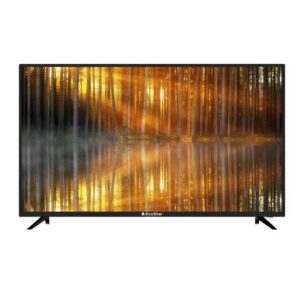
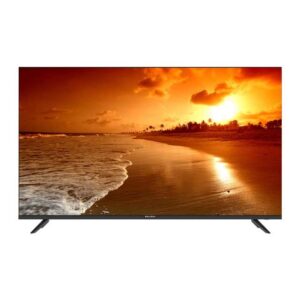
EcoStar CX-32U870 A+ LED TV
- 1 Year Official Brand Warranty
- Quality & Durability
- Android TV (Android 9.0 Pie)
- Smart Home Connectivity
- One Button Access
- Built in Google Play Store
- Dolby Digital
- HD Display
- Frame-less Design
- Chrome Cast
- Built-in Bluetooth
- Voice Search Remote
- 2 (2.0) USB Connectivity
- Wifi Supported
- Smart LED TV
- Energy Saving
- Google Play /Netflix/ Youtube/ Prime Video/ Daily Play/ Internet Browser/I casting/ Bluetooth Audio
SKU: n/a - 4K (UHD), Android TV, Ecostar 4K (UHD), Ecostar Android TV, LEDs & Audio
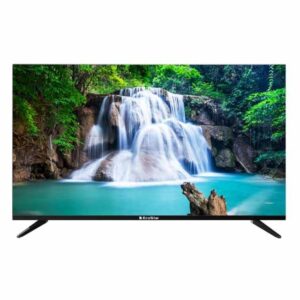
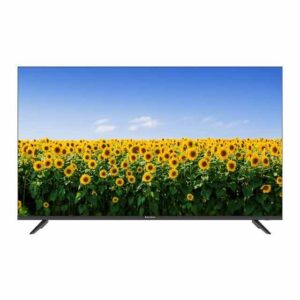
EcoStar CX-55UD963 A+ LED TV
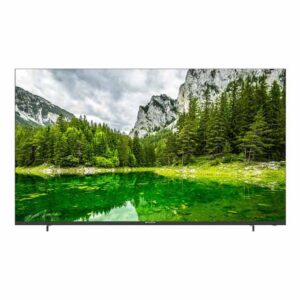 4K (UHD), Android TV, Ecostar 4K (UHD), Ecostar Android TV, LEDs & Audio
EcoStar CX-55UD963 A+ LED TV
- Latest Android 11
- Enjoy the world of IoT with Google Assistant
- Unlimited Applications
- Flawless Connectivity Bluetooth 5.1
- Built – in Chrome Cast
- Picture Perfect
- One Touch Access
- Quadcore Processor Gives Ultra Smooth Gaming Experience
- Ultra-High Definition
SKU: n/a - 4K (UHD), Android TV, Ecostar 4K (UHD), Ecostar Android TV, LEDs & Audio
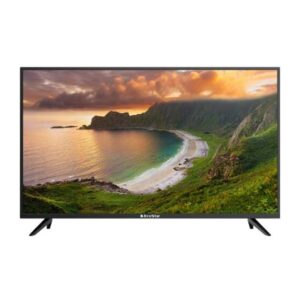
EcoStar CX-65UD963 A+ LED TV
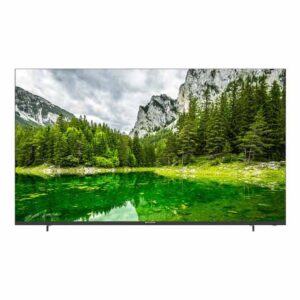 4K (UHD), Android TV, Ecostar 4K (UHD), Ecostar Android TV, LEDs & Audio
EcoStar CX-65UD963 A+ LED TV
- Latest Android 11
- Enjoy the world of IoT with Google Assistant
- Unlimited Applications
- Flawless Connectivity Bluetooth 5.1
- Built – in Chrome Cast
- Picture Perfect
- One Touch Access
- Quadcore Processor Gives Ultra Smooth Gaming Experience
- Ultra-High Definition
SKU: n/a
EcoStar Android TV — Shop Smart in Pakistan
Who this category is for
EcoStar Android TVs are a reliable choice for families furnishing a new lounge, tenants setting up a compact bedroom, and small businesses—like cafés or waiting areas—needing an easy streaming screen. The Android TV interface is familiar and practical, so everyone from kids to grandparents can jump into YouTube or local news without digging through complex menus. If you’re upgrading from a basic LED to something smarter, EcoStar models offer a comfortable balance of features and value for Pakistan’s price-conscious market. Whether you’re pairing with a cable set-top box or planning a Netflix night, the lineup covers sizes from 32″ to 75″ so you can match your room and budget.
Because needs differ room to room, this category page helps you shortlist by screen size, resolution, and convenience features like voice remote and Chromecast. You’ll find models that suit tight apartments in Karachi as well as large open lounges in Lahore or Islamabad. If you’re kitting out a shop floor or a studio, you can prioritize durability and ports; for family rooms, think bigger screens and stronger audio. Wherever you land, this guide keeps the advice straightforward and local—from viewing distances to common connectivity realities in Pakistan.
What you can do on this page
Use the size and feature hints below to decide between 32″, 40–43″, 50–55″, and 65–75″. Then browse the product cards to confirm the exact specs, warranty coverage, and live price. Each product card is your single source of truth for model-specific details—panel type, ports, Bluetooth, and app capabilities—so you avoid guesswork. If you want to compare Android TVs across all brands before committing to EcoStar, you can also check the broader category and come back once you’ve set a budget and size target. For quick help, call or WhatsApp +92 330 9997564 and our team at Mariam Center, Saddar, Karachi will guide you.
Prefer to scan wider first? Explore all Android TVs here: Android TV (All Brands). If you already know you’ll go 4K, you can also jump to the 4K UHD shelf to sense the price/feature spread and then filter down to EcoStar. Internal links are kept minimal and relevant to save you time and avoid confusion.
A quick note on prices & availability
TV prices in Pakistan can change due to exchange rates, duties, and shipping costs. Rather than quoting static figures that go stale, we keep the price live on each product card so you always see the current deal. Stock and delivery windows can also vary by city and courier feasibility; when timing matters, it’s best to confirm on call or WhatsApp. If you’re watching for a specific weekend promotion or bundle, ask our team to advise on the best purchase window. Clear, upfront guidance is the goal—no surprises at checkout.
Shop by Size: Find the Right Fit
32″ — Compact rooms & hostels (HD/HD-Ready)
Choose 32″ if your viewing distance is short—typical for bedrooms, hostels, or kitchens where space is tight. HD/HD-Ready panels are fine for cable channels, news, and casual YouTube; you won’t miss 4K sharpness at this size. Prioritize stable Wi-Fi reception, at least two HDMI ports for a set-top box and streaming device, and a USB port for media playback. If you wall-mount, check the VESA size in the product specs and plan for safe cable routing along concrete walls common in apartments.
If you want Voice Search or faster app navigation even at 32″, look for compatible models with a voice-enabled remote and adequate storage for apps. Keep expectations sensible: small TVs have smaller speakers, so adding a compact soundbar can dramatically improve clarity in lively households. For future flexibility, make sure there’s an extra HDMI port free for a console or a PC stick. When in doubt, compare two short-listed models side by side on the category page and pick the one with the features you’ll actually use.
40–43″ — The sweet spot for 8–10 ft
At typical Pakistani lounges where seating lands around 8–10 feet from the TV, 40–43″ hits a strong balance between immersion and budget. Full HD (1080p) is common here, though some 43″ models step up to 4K for sharper streaming. If you watch lots of cricket or football, look for motion handling enhancements and a clean 60 Hz panel with good upscaling from SD/HD cable. Ports matter too: at least three HDMI inputs give breathing room for a console, a DTH box, and a streaming stick.
This range is also where voice remote and Chromecast built-in become genuinely handy for family use. Kids can launch YouTube with voice, parents can cast from phones, and everyone avoids remote-typing. If your Wi-Fi is far from the lounge, consider a model with solid dual-band Wi-Fi or plan an Ethernet run for smoother 4K streams. When you’re comparing 43″ options, weigh picture quality and build first; smart features can be updated over time, but a good panel is the long-term win.
50–55″ — Lounge-ready 4K
Stepping up to 50–55″ makes 4K worthwhile, especially if you stream high-resolution content or sit 10–12 feet away. You’ll notice extra detail in movies and sports, and the larger canvas makes living-room viewing more cinematic. For cable TV, a capable upscaler keeps lower-resolution channels looking acceptable; for streaming, a stable connection is key. If you’re outfitting a new home or upgrading for events like cricket tournaments, this size class is a crowd-pleasing choice.
Expect a stronger I/O selection—multiple HDMI inputs, ARC/eARC for a soundbar, and Bluetooth for wireless headphones. If you plan occasional gaming, prioritize low input lag and a “Game” picture mode. Mounting becomes more important at this size; use a robust bracket and confirm stud or plug placement with a technician. If you’re browsing broadly, the 4K shelf is a helpful shortcut: 4K UHD TVs.
65–75″ — Big room & commercial screens
For expansive lounges, café walls, or boardrooms, 65–75″ delivers impact that smaller sets can’t match. Viewers 12 feet or more from the screen benefit from the size and 4K detail, especially with good lighting control. At this tier, think beyond the panel: a clean cable plan, a sturdy full-motion mount if you need angle flexibility, and reliable bandwidth for simultaneous streams. If the TV will run for long hours in a shop, consider ventilation and dust exposure during placement.
Audio upgrades are common at this size; pair a soundbar or a compact HT system to fill larger spaces. Check for Bluetooth for easy pairing and ARC/eARC for simplified soundbar control. For content sharing during meetings or specials, Chromecast built-in can save time, while HDMI remains the stable fallback for longer sessions. When shortlisting, compare warranty terms and after-sales support along with picture specs—these sets are investments, so service clarity matters.
Key Features Explained (Confirm on Each Product Card)
Android TV OS & apps
Android TV provides a familiar home screen with access to popular apps through Google Play. In Pakistan, availability and certification of certain apps can vary by model and over time, so always cross-check the app list and screenshots on the specific product card before purchase. The benefit is simplicity: one remote, one interface, and updates that improve stability or add features. If your household mixes Urdu and English usage, Android TV’s search and settings handle both smoothly.
Performance depends on chipset and memory, which differ across models. If you’re a heavy streamer with multiple user profiles, aim for models with responsive navigation and adequate storage, as visible in the specifications. For cable-first viewers, the smart layer still helps for YouTube, kids’ content, or casting short videos. Keep a USB drive handy for offline media—Android TV file explorers make basic playback straightforward.
Google Assistant voice remote
Models that include a voice-enabled remote make it faster to open apps, search YouTube, or adjust settings hands-free. Look for the microphone icon on the remote in product images and confirm “voice” or “Google Assistant” in the features list on the product page. Voice works best with a quiet room and a stable internet connection; it supports natural phrases in English and commonly used Urdu queries. For privacy, you can disable the mic when not needed and rely on regular buttons.
In households with kids or seniors, voice can be the difference between daily use and frustration. Instead of typing long searches with arrow keys, speak the title and start watching. If you already own a non-voice EcoStar model, remember you can still navigate apps normally; voice is a convenience layer, not a requirement. Balance the extra convenience against your budget and pick the trim that fits how you actually watch TV.
Chromecast built-in
Chromecast lets you send videos, music, and photos from your phone to the TV with a tap. It’s ideal for quick sharing—family clips, class presentations, or a friend’s playlist—without plugging in cables. For longer 4K movie nights or gaming sessions, HDMI remains the most stable connection, but casting is perfect for everyday snippets. Most Android TV models in this category support Chromecast; still, verify the feature line on the product card to be sure.
If you use multiple phones at home, anyone on the same Wi-Fi can cast to the TV after a simple setup. For offices or cafés, keep the TV on a guest network if you want to control who can cast. If your router is far from the TV and casting stutters, consider moving the router closer or adding a Wi-Fi extender to maintain steady bandwidth.
Audio, design & connectivity
Built-in speakers are tuned for everyday TV and YouTube, while movies and sports often benefit from a soundbar for fuller dialogue and bass. Frameless or slim-bezel designs keep focus on content and make wall-mounted setups look neat. On connectivity, confirm the number of HDMI and USB ports, ARC/eARC support for soundbars, Bluetooth for headphones or gamepads, and the VESA pattern for mounting. These small checks ensure a smooth installation day.
If you plan a clean wall mount, measure cable lengths ahead of time and keep a surge protector between the TV and your UPS or inverter. For families, Bluetooth headphones can keep late-night viewing quiet without disturbing kids. And if you move homes frequently, a sturdy but easy-to-remove wall bracket will save time and reduce the risk of damage to concrete walls.
Resolution & Panel Guide: 4K vs FHD vs HD
When 4K is worth it—and when it isn’t
4K (UHD) shines from 50″ and above, or whenever you sit 8–12 feet from the screen and stream high-quality content. Movies, cricket, and nature documentaries show visibly finer detail on a 4K panel, especially if your internet can sustain stable streaming. If your primary use is basic cable at a short distance—say a 32″ set in a bedroom—Full HD or even HD-Ready can be perfectly acceptable. Think of 4K as an investment in larger screens and premium content; for everyday news and YouTube in smaller rooms, you won’t miss much by staying below 4K.
For buyers tracking the EcoStar Android TV price in Pakistan across sizes, remember that resolution is only one part of picture quality. A well-tuned FHD panel with good contrast can look better than a budget 4K panel in poor lighting. Prioritize screen size and viewing distance first, then resolution, and finally smart features.
Upscaling basics for cable & streaming
Most Pakistani households still watch a mix of SD/HD cable and apps. Upscaling is the TV’s ability to make lower-resolution video fit a higher-resolution screen. On a 4K EcoStar Android TV, SD channels won’t magically become 4K—what you’ll see is a cleaner, stabilized image if the upscaler is competent. Sports, talk shows, and animated content usually upscale better than grainy dramas or older prints. If cable is your main source, try to keep your viewing distance sensible for the screen size so imperfections are less noticeable.
For apps, YouTube often adapts quickly to your bandwidth, while paid platforms may lock to a lower tier if the connection fluctuates. If your streams frequently drop in quality, an Ethernet cable to the TV or a dual-band router near the lounge can help the upscaler by feeding it higher-bitrate video more consistently.
Motion, refresh rate & gaming realism
Most mainstream EcoStar televisions in this category target 60 Hz panels, which handle Pakistani sports and casual console play well. Motion smoothing settings can reduce judder in cricket and football but may add a “soap-opera effect” in films; keep a “Sports” preset handy and switch back to “Cinema” for movies. If you connect a console or PC, enable the TV’s “Game” mode to trim input lag—this step often matters more than chasing higher refresh specs on mainstream models.
If you’re choosing between two similar 4K sets, compare real-world motion: pan across news tickers, watch a quick cricket replay, and check for blur on player edges. Balanced processing that avoids over-sharpening will look more natural across cable and streaming sources.
Panel, brightness & room lighting
Bright Karachi afternoons and reflective tiled floors can wash out the picture on any TV. A practical fix is controlling ambient light—curtains, a neutral wall behind the TV, and a mounting height that avoids direct reflections. Within a given budget, look for models with decent brightness and contrast in their product shots and reviews, but rely on the actual product card to confirm the stated specs. A modest soundbar can also help in bright rooms where dialog clarity competes with ambient noise.
Buying Guide for Pakistan: Practical Tips
Viewing distance quick chart (room-size guide)
Picking the right size first is the easiest way to be happy with any EcoStar Android LED purchase. Use this simple rule of thumb to shortlist quickly before checking today’s price:
- 6–7 ft seating: 32″–40″ (HD/FHD works well)
- 8–10 ft seating: 43″–50″ (FHD or 4K depending on budget)
- 10–12 ft seating: 55″ (4K recommended)
- 12–14+ ft seating: 65″–75″ (4K strongly recommended)
If your room is multipurpose—guests sometimes sit closer—lean one size up for a more immersive experience, provided your wall can accommodate the VESA mount and viewing angles.
Power, UPS & surge protection
Voltage fluctuation is common in many Pakistani neighborhoods. Protect your TV investment with a reliable surge protector and, if you run a UPS/inverter, ensure it’s correctly rated for the TV’s power draw. Avoid plugging heavy appliances into the same extension as the TV and sound system. When you wall-mount, plan a tidy cable route to the UPS or nearby socket to prevent strain on connectors. During monsoon season, a quick post-storm check of power stability before TV use can extend the life of your electronics.
Connectivity realities (Wi‑Fi vs Ethernet & ISP tips)
For streaming, Wi‑Fi is convenient but can vary with router placement and concrete walls. If your lounge is far from the router, an Ethernet cable or a mesh Wi‑Fi node can stabilize 4K playback. ISPs like PTCL, StormFiber, and Nayatel generally handle HD streaming smoothly; for 4K, aim for a consistent high-speed plan and keep other large downloads paused while watching. In apartments, placing the router on an open shelf rather than inside a cabinet can noticeably improve signal quality to the TV.
Chromecast built-in is excellent for sharing photos and quick clips from phones, while HDMI remains the best path for long movie nights or gaming sessions. If you often switch devices, label HDMI inputs and consider a simple HDMI switch to reduce wear on ports.
Mounting, safety & space planning
Concrete and brick walls are common in Karachi and Lahore apartments. Use appropriate anchors and a bracket rated for your TV’s size and weight, and confirm the VESA pattern listed on the product page. Leave ventilation space around the TV—especially in tightly enclosed feature walls—and avoid direct sunlight on the panel. If children are at home, route cables through trunking and keep the soundbar firmly mounted or placed on a stable shelf. For commercial spaces, a full-motion arm can help angle the screen for customers without glare.
Where to compare models quickly
Once you’ve chosen size and must-have features—say 43″ with Google Assistant and Chromecast—browse the live listings to confirm specs, availability, and today’s EcoStar Android TV price in Pakistan. For a focused view of the latest options, see the brand shelf here: EcoStar Android TV (All Models). Use the product cards to verify warranty terms and voice-remote inclusion before you order.
Price & Availability in Pakistan
Why prices change
EcoStar Android TV prices in Pakistan move with exchange rates, customs duties, shipping costs, and periodic brand promotions. Because these inputs can shift quickly, any fixed number on a static page risks being outdated. We avoid quoting figures that go stale and instead show the live price on each product card so you can make a decision based on today’s reality. If you’re budgeting for a specific size—such as 43″, 50″, or 55″ 4K—use the product cards to understand the spread across trims (voice remote, Bluetooth, extra ports) before locking in a choice.
How to check today’s price (step-by-step)
Open the EcoStar category shelf and shortlist by size first (for example, 43″ or 55″). Click any model to view the dedicated product page where the EcoStar Android TV price in Pakistan is updated live. That page is also where stock status, delivery options, and any running promotions will appear. If you’re finalizing a bundle with a soundbar or wall mount, call or WhatsApp +92 330 9997564 to get a combined quote—packages sometimes reduce your total outlay without compromising on features.
For price watching, note that weekends and festival seasons can trigger flash promotions. If your timeline is flexible, ask our team when a better window could be expected; we’ll share the most responsible guidance we have without overpromising. For business buyers furnishing cafés or offices, we can help you compare sizes and finalize quantities in a single call so you don’t over- or under-order.
Stock, delivery windows & city-wise considerations
Availability changes by city and courier feasibility. Karachi customers often get faster turnarounds because of proximity to our showroom in Saddar. For other cities, delivery timing depends on courier schedules and the destination’s accessibility. If you need the TV for a specific date—say, a match night or an office event—please confirm dispatch and expected delivery before placing the order. Where possible, in-store pickup from Mariam Center (Shop 5, Abdullah Haroon Road, Saddar, Karachi) is the fastest option for urgent purchases.
Packaging integrity matters: on delivery, inspect the outer box for dents, water exposure, or tamper signs before opening. We recommend making an unboxing video to capture condition on arrival; this helps resolve any rare transit issues smoothly. If an accessory is missing, contact us immediately so we can assist.
Bundles, promos & timing your purchase
Across the lineup—from EcoStar 32″ Android LED to 65″–75″ 4K models—bundle value can outperform standalone discounts. Typical pairings include a wall mount, surge protector, or a basic soundbar. We’ll tell you what is and isn’t included on the product page; if anything is unclear, a quick WhatsApp gets you a definitive answer. For seasonal promos, it’s smart to shortlist early, confirm stock, and be prepared to check out when a price drop appears so you don’t miss limited-quantity deals.
Warranty & Authenticity
Official warranty in Pakistan—what it usually covers
EcoStar Android TVs sold through authorized channels typically include an official Pakistan warranty. Coverage and duration can vary by model and component (for example, panel vs. parts), so do not assume uniform terms across sizes. The exact warranty for your chosen model is always listed—or linked—on the product page, and our team can confirm it over the phone. Batteries and physical damage are commonly excluded by manufacturers, and misuse or self-repair attempts may void coverage. When comparing models, weigh warranty clarity alongside features such as Google Assistant voice remote and Chromecast.
How to verify originality before opening the box
Before you unseal, check for intact brand seals and clean serial number stickers on the outer carton. Match the serial number on the box with the label on the TV once opened. Look for a stamped or printed warranty card and verify the seller details and purchase date on your invoice. If you requested an official tax invoice for business use, confirm your entity name and CNIC/NTN details are accurate. If anything looks inconsistent, pause installation and contact us so we can advise the correct next step.
What to keep for a smooth claim
Retain the original invoice, warranty card, accessories (remote, stand, screws), and the foam/box if possible—these make service logistics easier. Save a photo of the serial number label on your phone. In case you need support, share the model number, serial number, purchase date, and a brief description of the issue. Many common concerns—Wi‑Fi drops, app sign‑in, audio sync—can be fixed with settings guidance over a call, avoiding a workshop visit entirely.
Service process: who to contact
If an issue persists, reach out to us first at +92 330 9997564. We’ll help you determine whether it’s a quick setup fix, a software update, or something that needs brand service attention. When a manufacturer visit is required, we’ll explain the documentation they may ask for and the steps to schedule a technician. For out‑of‑warranty repairs, we’ll be transparent about options and costs so you can decide whether repair or upgrade makes more economic sense.
Care tips that keep your warranty intact
Use a surge protector (especially if you rely on a UPS/inverter), ensure proper ventilation around the TV, and avoid mounting near heat sources or direct sunlight. When cleaning, power off and use a soft, dry microfiber cloth—don’t spray liquid directly on the screen. If you’re relocating the TV, remove it from the wall bracket with two people to prevent torque on the panel. These simple habits reduce the chance of accidental damage, which manufacturers typically don’t cover.
Payments, Delivery & Installments
Installment options—how it typically works
Installment availability can vary by bank or finance partner and may depend on the specific model, city, and promotional period. Before you plan around installments, call or WhatsApp +92 330 9997564 to confirm the current options, required documents (usually CNIC and the card holder’s presence for card‑based plans), and any processing timelines. We’ll guide you through what’s possible for your case without overpromising—if a plan isn’t available for a model, we’ll say so upfront.
Keep in mind that installment plans may carry terms such as minimum transaction amounts, tenure choices, or bank‑specific fees. We recommend finalizing your desired size (for example, 43″ or 55″ 4K) and then checking which installment options match your budget. If you need a wall mount or soundbar, ask whether those can be included in the installment invoice to simplify accounting.
Payment methods & order safety
Accepted payment methods are shown on the product page or during checkout, and can depend on item size and destination. If you need to use a particular method—like card or bank transfer—please confirm before placing the order so we can guide you to the correct process. For high‑value items, we may request basic verification to protect both buyer and seller from misuse; your information is handled with care and only for order fulfillment.
For business purchases, request an official tax invoice at the time of order and share correct entity details. Keep screenshots or email confirmations of your payment and order ID. If anything looks unusual at checkout, pause and contact us—we’ll verify whether a promotion or price is genuine and ensure you proceed safely.
Delivery & pickup
We ship nationwide where courier feasibility allows. Delivery charges and timelines depend on size and destination; we’ll confirm the best available option before dispatch. For Karachi customers, in‑store pickup from Mariam Center (Shop 5, Abdullah Haroon Road, Saddar) is often the fastest route for urgent buys or when you want to inspect the box before taking it home. If you’re sending the TV to another city, consider keeping the original packaging until installation is complete.
On arrival, check the carton for dents or moisture and record an unboxing video for peace of mind. If a part appears missing—remote, stand screws, or warranty card—contact us immediately so we can resolve it quickly. For wall mounting, schedule a technician visit after you’ve confirmed the TV is in perfect condition.
Why Buy from Sadaat Electronics
Local support & quick help
Being Karachi‑based means you can reach a real person quickly—by phone, WhatsApp, or a visit to our Saddar showroom. We’ll help you match screen size to your room, explain feature differences in plain language, and confirm what’s in the box before you commit. If you’re comparing multiple models for a family lounge versus a bedroom, we’ll help you prioritize what matters in each space so you avoid over‑spending.
After purchase, we remain available for setup guidance, app sign‑ins, and basic troubleshooting. Many common concerns are solved in minutes with the right settings. And if a brand service visit is needed, we’ll help you prepare the documents and set clear expectations on timelines.
Genuine stock with clear warranty
We focus on authorized, genuine inventory with transparent paperwork. Your invoice and warranty card are matched to the serial number on the TV so future claims are straightforward. If a model’s warranty terms differ—for example, panel coverage versus general parts—we’ll tell you before you buy, not after.
For buyers who want a long‑term 4K setup, we’ll compare differences that often get overlooked: port counts for consoles, eARC for soundbars, and Wi‑Fi reliability for your home layout. Clarity up front saves frustration later.
Smart bundles & category breadth
Bundles can deliver better value than chasing the lowest standalone price. Ask about combining a TV with a wall mount, surge protector, or entry‑level soundbar to optimize both setup and budget. If you’re shopping specifically for higher‑end 4K, you can also browse our brand‑focused shelf here: EcoStar 4K UHD models.
For households upgrading multiple rooms, our wider LEDs & Audio catalog keeps choices in one place. We’ll help you spread features and sizes sensibly across rooms so everyone gets what they need without duplicate spend.
FAQs
Which EcoStar Android TV size is best for a 10×12 ft room?
For a 10×12 ft lounge, most viewers sit around 8–10 feet from the screen. A 50″ or 55″ 4K model usually offers the best balance of immersion and clarity. If the seating is closer, 43″ can work well; if you have a deeper layout or host match nights, 55″ is the more future‑proof pick.
Do EcoStar Android TVs include Google Assistant & a voice remote?
Many models include a Google Assistant voice remote, but not all. Check the product images for a microphone icon on the remote and the features list on the product page. If you need hands‑free search, prioritize trims that explicitly mention “voice” or “Google Assistant.”Is Chromecast built‑in, or do I need a dongle?
Most EcoStar Android TVs in this category support Chromecast built‑in for easy casting from phones. To be certain, verify “Chromecast built‑in” in the features list on the specific product card. If your use involves long 4K movies or gaming, HDMI remains the most stable connection even with casting available.What is the EcoStar Android TV price in Pakistan right now?
Prices change with exchange rates and promotions, so we publish live prices on each product page instead of static figures here. Shortlist by size first, then open the model page to see today’s price and any running deal. If you’re planning a bundle, call or WhatsApp for the best combined quote.Do you offer installments and official warranty?
Installments may be available depending on bank/partner and model; contact us to confirm current plans and required documents. Official Pakistan warranty is typical through authorized channels, but coverage varies by model—check the product page for exact terms and keep your invoice and warranty card safe.Can I wall‑mount the TV myself?
Wall mounting is straightforward with the right bracket and anchors, but we recommend a qualified technician for larger sizes (50″+). Confirm the VESA pattern on the product page before buying a bracket, and leave ventilation space around the TV for longevity.For a 10×12 ft lounge, most viewers sit around 8–10 feet from the screen. A 50″ or 55″ 4K model usually offers the best balance of immersion and clarity. If the seating is closer, 43″ can work well; if you have a deeper layout or host match nights, 55″ is the more future‑proof pick.
Many models include a Google Assistant voice remote, but not all. Check the product images for a microphone icon on the remote and the features list on the product page. If you need hands‑free search, prioritize trims that explicitly mention “voice” or “Google Assistant.”Most EcoStar Android TVs in this category support Chromecast built‑in for easy casting from phones. To be certain, verify “Chromecast built‑in” in the features list on the specific product card. If your use involves long 4K movies or gaming, HDMI remains the most stable connection even with casting available.Prices change with exchange rates and promotions, so we publish live prices on each product page instead of static figures here. Shortlist by size first, then open the model page to see today’s price and any running deal. If you’re planning a bundle, call or WhatsApp for the best combined quote.Installments may be available depending on bank/partner and model; contact us to confirm current plans and required documents. Official Pakistan warranty is typical through authorized channels, but coverage varies by model—check the product page for exact terms and keep your invoice and warranty card safe.Wall mounting is straightforward with the right bracket and anchors, but we recommend a qualified technician for larger sizes (50″+). Confirm the VESA pattern on the product page before buying a bracket, and leave ventilation space around the TV for longevity.