

No products in the cart.
TCL 4K (UHD)
Showing all 5 results
- 4K (UHD), Android TV, LEDs & Audio, TCL 4K (UHD), TCL Android TV
TCL 50 Inch 50P635 4K UHD Smart LED TV
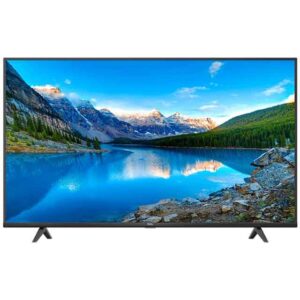 4K (UHD), Android TV, LEDs & Audio, TCL 4K (UHD), TCL Android TV
TCL 50 Inch 50P635 4K UHD Smart LED TV
0 out of 5(0)- Dynamic Contrast
- HDMI Support
- Cable Port
- USB
- A/V IN
- HDR Support
- Headphone
- 2 Years Warranty
SKU: n/a - 4K (UHD), Android TV, LEDs & Audio, TCL 4K (UHD), TCL Android TV
TCL 50 Inch 50P735 4K UHD Smart LED TV
4K (UHD), Android TV, LEDs & Audio, TCL 4K (UHD), TCL Android TVTCL 50 Inch 50P735 4K UHD Smart LED TV
0 out of 5(0)- Dynamic Contrast
- HDMI Support
- Cable Port
- USB
- A/V IN
- HDR Support
- Headphone
- 2 Years Warranty
SKU: n/a - 4K (UHD), Android TV, LEDs & Audio, TCL 4K (UHD), TCL Android TV
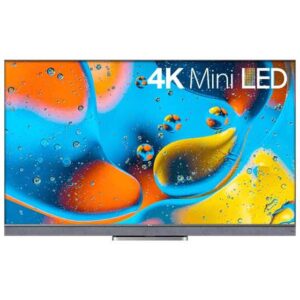
TCL 65 Inch 65C835 4K UHD Smart LED TV
 4K (UHD), Android TV, LEDs & Audio, TCL 4K (UHD), TCL Android TV
TCL 65 Inch 65C835 4K UHD Smart LED TV
0 out of 5(0)- Mini LED
- · 144Hz VRR
- · Quantum Dot
- · HDR10+
- · Dolby Vision IQ
- · Dolby Atmos
- · ONKYO
- · IMAX Enhanced
SKU: n/a - 4K (UHD), Android TV, LEDs & Audio, TCL 4K (UHD), TCL Android TV
TCL 65 Inch 65P735 4K UHD Smart LED TV
4K (UHD), Android TV, LEDs & Audio, TCL 4K (UHD), TCL Android TVTCL 65 Inch 65P735 4K UHD Smart LED TV
0 out of 5(0)- Dynamic Contrast
- HDMI Support
- Cable Port
- USB
- A/V IN
- HDR Support
- Headphone
- 2 Years Warranty
SKU: n/a
Showing all 5 results
TCL 4K (UHD) TVs in Pakistan — Shop 43″, 50″, 55″, 65″ & More
Looking for a TCL 4K (UHD) TV that fits your room, budget, and daily viewing in Pakistan? You’re in the right place. On this page, you’ll find size-by-size guidance (43″, 50″, 55″, 65″+), a plain-English breakdown of TCL series and features (UHD vs QLED, 60Hz vs 120Hz, Dolby Vision/HDR10+, MEMC), and practical buying tips for Karachi and nationwide buyers. For live availability and today’s price, browse our category grid here: TCL 4K (UHD) — Sadaat Electronics. If you’re still cross-shopping brands, you can also view the broader 4K range: 4K (UHD) TVs — All Brands.
Sadaat Electronics is a Karachi-based retailer with a walk-in store at Mariam Center, Shop 5, Abdullah Haroon Road, Saddar, Karachi. Need quick help? Call or WhatsApp +92 330 9997564. We keep our advice practical: which size will actually fit your space, which series matches your content sources (cable vs streaming vs console), and when a premium feature genuinely makes a visible difference.
Shop by Size — Pick the Right TCL 4K for Your Room
43″ & 50″ — Smart choices for bedrooms and compact lounges
In many Pakistani apartments and shared homes, the viewing distance sits around 7–9 feet. For that range, 43″ and 50″ TCL 4K models deliver crisp detail without overwhelming a small room. If you stream Pakistani dramas, YouTube, and cricket highlights, the jump from older HD sets to 4K upscaling is immediately noticeable—text edges look cleaner, and UI elements in apps appear sharper.
When to choose 43″ vs 50″? If your seating is under ~7.5 feet and wall space is constrained by cupboards or AC ducts, 43″ keeps things balanced. If you can sit 8–9 feet away or plan a swivel wall mount for shared viewing, 50″ provides a more immersive feel for a small price difference on many models. Look for at least HDR support (HDR10, HDR10+) so Netflix and Prime content can stretch their legs. QLED options in these sizes can also add punchy color in brighter rooms.
55″ — The sweet spot for most lounges
For typical lounges in Karachi, Lahore, and Islamabad—where seating is often 9–11 feet—55″ tends to be the easiest recommendation. It offers a step-up in immersion for cricket, movies, and console gaming without the jump in wall space and bracket requirements that 65″ needs. If you’re upgrading from a 40–43″ set, the difference feels substantial without taking over the room.
At 55″, you’ll find the widest selection of TCL models and feature mixes. If budget allows, consider a QLED variant for better brightness and color volume during daytime viewing, especially if your lounge has big windows or you keep the curtains open. Gamers should check refresh rates and HDMI features: some models are 60Hz with MEMC (motion smoothing), while others add gaming-friendly features like ALLM (Auto Low Latency Mode) and, in select series, 120Hz panels.
65″ and above — Cinematic scale when you have the space
If you’re sitting 10–13 feet back or have a dedicated media wall, 65″ (and larger) is where movies and sports feel truly big. On native 4K content, details like cricket pitch texture and stadium lettering look more life-size. For wall mounting, plan for a sturdy bracket and proper anchor points—especially in older homes with variable wall quality. We recommend leaving a clean channel for cable management if you’ll run a soundbar with eARC.
At these sizes, picture processing and panel type matter more because any softness or banding becomes easier to notice. Consider TCL QLED options for better luminance in bright rooms, and check whether the specific model supports advanced HDR formats for streaming (some do, some don’t—always confirm on the product page). If you game on PS5/Xbox Series X, short-list models with 120Hz support and the right HDMI ports.
Shop by Series — What Changes as You Move Up
Panel & color tech: UHD vs QLED (and when Mini-LED appears)
“UHD” or “4K” refers to the resolution—roughly four times Full HD—so you get more detail and cleaner edges. QLED models add a quantum dot layer that boosts color volume and brightness; this is useful in Pakistani homes with lots of ambient light or white walls that reflect daylight. When available in the local lineup, Mini-LED backlighting pairs tiny LEDs with local dimming for better contrast, especially in dark scenes.
How to decide? If you mostly watch at night in a controlled-light room, a well-tuned UHD LED may be enough. If your lounge is bright or you care about vibrant sports and animation, QLED offers a confident upgrade. Mini-LED—where stocked—will usually be positioned in higher series for a clearer step-up in contrast.
Motion & gaming: 60Hz vs 120Hz, MEMC, ALLM/VRR
TCL’s lineup includes both 60Hz and 120Hz panels. A 60Hz TV with good processing and MEMC can keep panning shots smoother for sports and dramas. For console and PC gamers, a 120Hz model with ALLM (Auto Low Latency Mode) and possibly VRR (Variable Refresh Rate) delivers more responsive gameplay and fewer tearing artifacts in supported titles.
If gaming is a priority, check the exact HDMI specification on the model’s page: some TCL 4K TVs include gaming-optimized ports and modes, while others are tailored more for movies and TV. For casual gaming and streaming, 60Hz is fine; for competitive or next-gen gaming, 120Hz is worth short-listing where available.
Audio & formats: Dolby Vision / HDR10+ and Dolby Atmos passthrough
On streaming apps, Dolby Vision and HDR10+ can preserve highlight detail and color gradation that SDR can’t. Not every model supports every format, so confirm on each product page if a title you love lists Dolby Vision or HDR10+. For audio, look for eARC to pass higher-bandwidth audio to a compatible soundbar or AVR; some models support Dolby Atmos passthrough so you can enjoy spacious audio without relying on the TV’s speakers.
Practical tip for Pakistani homes: even a compact 2.1 soundbar can be a big quality-of-life upgrade for dialogue clarity in tiled rooms that reflect sound. If you’re mounting the TV, plan shelf space or a wall bracket for the soundbar beneath it, and confirm the TV’s eARC/ARC port location for a clean cable run.
Prices & Installments in Pakistan — Check Live on Product Tiles
What affects TCL 4K TV price in Pakistan?
When you search for “TCL 4K TV price in Pakistan” or “TCL UHD TV price Pakistan,” you’ll notice prices vary model to model and even day to day. That’s normal in our market, where exchange rates (USD/PKR), panel technology (UHD LED vs QLED vs Mini-LED), refresh rate (60Hz vs 120Hz), and screen size (43″, 50″, 55″, 65″+) all push the number up or down. Warranty channel (official local warranty vs other supply) and import duties can also affect pricing. Because of these moving parts, any static price published in an article can go out of date quickly, which is why we guide you to the live product tiles for accuracy.
As a practical example: a TCL 43-inch 4K price in Pakistan will usually be lower than 50″ and 55″ variants, and QLED versions often cost more than standard UHD LED at the same size. Similarly, a model advertised with Dolby Vision/Atmos, HDR10+ with MEMC, or 120Hz gaming features may command a premium over an entry TV designed for casual streaming. Think of it as paying for visible performance in your room: brightness, color volume, motion handling, and gaming responsiveness.
Where to see today’s price (and avoid outdated numbers)
To get the real, current price for any TCL 4K model, open our category grid and check the number displayed on each product tile. Those tiles reflect the present deal and stock situation, including offers that might not appear in old blog posts or comparison charts. If you’re shortlisting specific sizes—say, TCL 50-inch 4K TV price, TCL 55-inch UHD TV price, or TCL 65-inch 4K TV in Pakistan—scan the grid and then tap into the product page for full specs and warranty notes.
Need help choosing between series? If you’re comparing something like TCL C645 4K price in Pakistan vs TCL C735 4K price Pakistan, remember that series typically layer in better color/brightness (QLED), gaming features (120Hz/VRR on select models), and audio passthrough (eARC with Atmos on compatible soundbars). Use the product page spec tables to confirm which features the exact size/year carries; series can have variations by size and manufacturing batch.
Installments—how to check eligibility right now
If you’re searching for “TCL 4K TV installment Pakistan,” the quickest route is to contact our team for the latest plans and partner options. Requirements and markups (if any) can vary by bank, provider, and model. We keep it simple: tell us your desired size (e.g., 55″ QLED) and budget, and we’ll quote the latest installment options and verification steps over a quick call or WhatsApp at +92 330 9997564.
Tip: when comparing installments across retailers, check the final payable, not just the monthly bite. Also confirm the warranty channel and whether wall-mount installation is included or billed separately. A transparent quote with the right TV and mounting plan often beats a lower number that hides add-ons later.
Features that Matter in Pakistan
Smart OS: TCL 4K Google TV & Android TV (apps, updates, voice)
Most TCL 4K models in Pakistan run either Google TV or Android TV. Functionally, both give you the essentials—YouTube, Netflix, Prime Video—plus Chromecast built-in for casting from your phone. Google TV typically offers a more content-centric home screen and refined recommendations, while Android TV’s layout may feel familiar if you’ve used older smart boxes. If your priority is stability and app support, either platform works well; what matters more is the TV’s processing power and RAM for smooth navigation.
For shoppers focused on “TCL 4K Google TV Pakistan” or “TCL 4K Android TV Pakistan,” browse our TCL Android/Google TV listings to compare interfaces and remotes side by side. If you prefer a direct OS path, start here: TCL Android/Google TV category. Or, if you’re still exploring across brands, this hub helps: Android TV — All Brands.
HDR formats made simple: Dolby Vision, HDR10+, MEMC
Dolby Vision and HDR10+ are dynamic HDR standards that adjust brightness and color on a scene-by-scene basis, preserving detail in bright cricket highlights and dark drama sequences alike. Not every TCL 4K TV supports every HDR format; some may support Dolby Vision, others HDR10+, and many will handle baseline HDR10. MEMC (motion interpolation) is separate—it inserts extra frames to smooth motion, which can help with sports panning shots but may add a “soap opera effect” to movies. Most TVs let you dial this up or down.
If you’re specifically after “TCL 4K Dolby Vision Atmos” support, look at the product page’s video and audio sections. Dolby Vision affects picture; Dolby Atmos relates to audio. Many TVs can pass through Atmos via eARC to a compatible soundbar or receiver. For best results, match the HDR format of your favorite streaming apps (e.g., Netflix often uses Dolby Vision) with a TV that supports it, and pair it with a soundbar that can actually decode Atmos for a room-filling effect.
Connectivity & ports: HDMI, eARC, Wi-Fi tips for local ISPs
Before you buy, count your devices. For gamers, check if the TV includes the right HDMI ports for 4K at high refresh (on select models) and whether it supports ALLM/VRR for responsive play. Movie lovers should verify eARC for clean passthrough to a soundbar—this prevents lip-sync issues and unlocks higher-bitrate audio formats. Casual users still benefit from extra HDMI ports for set-top boxes, consoles, and occasional laptops.
Streaming quality in Pakistan depends as much on your line as on the TV. With PTCL, StormFiber, Transworld, or similar ISPs, prioritize consistent speeds over headline numbers. For 4K streaming, aim for stable bandwidth and a strong Wi-Fi signal where the TV sits. If your router is far away or behind walls, consider a dual-band router or a wired Ethernet run to the TV for fewer drops. These small setup choices often make a bigger difference to picture quality than spec-sheet numbers alone.
Picture Quality with Pakistani Content Sources
Cable & set-top boxes: what upscaling can (and can’t) do
A lot of day-to-day viewing in Pakistan still runs through digital cable or set-top boxes that output SD/HD signals. A TCL 4K TV will upscale those lower-resolution sources so they fill the screen without blocky edges, but there are limits—soft camera feeds or highly compressed channels won’t magically become “true 4K.” To get the cleanest result, start with the TV’s more accurate picture preset (often “Movie,” “Cinema,” or “Filmmaker” if available) and reduce excessive sharpening that can outline faces and text unnaturally.
Practical setup tips: ensure your set-top box is configured to 16:9 and its highest supported resolution (720p/1080i/1080p). On the TV, set “Sharpness” modestly (many users prefer 0–10 on a 0–100 scale) and enable noise reduction only if a channel looks particularly grainy. For sports on cable, a little motion smoothing can help with pans, but keep it low to avoid the “soap opera effect.” If your cable quality fluctuates by time of day, that’s a source limitation, not the TV—streaming apps will usually look cleaner.
Streaming in 4K: simple settings that make a big difference
With YouTube, Netflix, and Prime Video, a TCL 4K panel really stretches its legs—especially when the TV detects HDR content. For consistent 4K streaming, aim for stable bandwidth rather than peak speed. A target in the 15–25 Mbps range is a common rule of thumb for a single 4K stream; more headroom helps when multiple devices are active. Place the TV on 5 GHz Wi-Fi if your router is close; otherwise consider a wired Ethernet cable to eliminate drops. In each app’s playback settings, choose “High/Auto (4K)” so you’re not capped at HD.
If you watch a mix of Pakistani dramas and international films, you’ll notice HDR titles pop more in bright highlights and deep shadows. That’s normal—and one reason to prefer models supporting Dolby Vision or HDR10+ where your favorite apps use them. Remember, picture mode is per-input on many TVs, so set your streaming picture mode once, then copy or re-apply it for HDMI inputs (console, set-top box) to keep results consistent.
Sports (cricket & football): motion and color that feel natural
Sports emphasize motion handling and color accuracy. For cricket, use a bright but neutral mode: keep color temperature near “Warm” (counterintuitive, but it’s closest to accurate whites), raise backlight/brightness for daytime viewing, and set motion smoothing to “Low/Custom Low” if you prefer smoother pans. For football, similar settings apply; avoid maxing out color saturation, which can push grass into neon territory. If your model includes a “Game” mode with low input lag, reserve that for consoles rather than cable/streaming sports—it may disable some motion and noise processing you actually want for broadcasts.
After-Sales, Delivery & Warranty (Karachi-first, nationwide where possible)
Warranty clarity—how to verify before you buy
Every TCL 4K model in our catalog lists its warranty channel on the product page. Many units are covered by official local warranty; some may differ by batch or arrival. Before placing your order, open the product page and check the warranty line items (panel coverage, parts, labor). Keep your invoice and packaging until the set is tested and installed. Industry-wide, physical damage (like panel cracks from impact) isn’t covered; functionally defective units are typically handled under a DOA/claim window—ask our team for the current process and timeframe for your exact model.
If a feature is critical to you—say, Dolby Vision or eARC—verify it on the individual model page and, if you like, confirm with us on call/WhatsApp. Model codes can look similar year to year; we’ll help you double-check the exact size and revision you’re purchasing.
Delivery & installation—plan the wall and the wiring
Delivery times and installation support vary by location and stock status. In Karachi, we’ll coordinate safe delivery and guide you on mounting options; outside Karachi, timelines depend on courier availability and your address. To avoid surprises, tell us your preferred delivery window and whether you want wall mounting—we’ll confirm bracket options and any service charges before you finalize.
Mounting checklist for Pakistani homes: ensure solid anchor points (different walls need different fasteners), leave ventilation space above/below the TV, and plan cable runs for power, HDMI, and an optional soundbar (eARC). If you’re adding a console or set-top box, choose a mount with a small shelf or plan a nearby media ledge. Bright rooms benefit from a slightly lower, glare-minimizing mount height; if sunlight hits the screen directly, consider curtains or a repositioned seating layout.
Real help from real humans—talk to us
Need quick, practical guidance on size, series, or stock today? Call or WhatsApp +92 330 9997564. If you prefer in-person help, visit us at Mariam Center, Shop 5, Abdullah Haroon Road, Saddar, Karachi. Share your room measurements, viewing distance, and budget; we’ll shortlist TCL 4K options that fit your space and explain trade-offs in plain language (brightness vs. black level, 60Hz vs. 120Hz, QLED vs. UHD LED) so you can decide confidently.
When you’re ready, browse live listings in our TCL 4K (UHD) category grid to see current price and availability, then message us for any bundle or installation questions. Clear info up front beats guesswork later—and that’s exactly how we like to sell TVs.
FAQs
What is the TCL 4K TV price in Pakistan right now?
Prices change with exchange rates, series/features, and stock. To avoid stale numbers, check the live price shown on each product tile in our TCL 4K category. If you’re comparing two models, open both product pages side by side and confirm size, panel type (UHD/QLED), and any gaming or HDR extras that may explain a price gap.
How is “TCL UHD TV price Pakistan” different from QLED pricing?
UHD LED models usually cost less than QLED at the same size because QLED’s quantum dots boost color and brightness. If your room is bright during the day, QLED may be worth the difference. If you mostly watch at night, a good UHD LED often suffices.
TCL 43 inch 4K price in Pakistan — what should I expect?
43″ is typically the entry size for 4K. Expect the most affordable prices in the lineup, with options ranging from basic UHD LED to step-up variants with better processing or color performance. For compact rooms (7–8 feet viewing distance), 43″ is a strong fit.
TCL 50 inch 4K TV price — how does it compare to 55″?
50″ usually sits just below 55″ in price. If you’re around 8–9 feet from the screen, 50″ is immersive without taking over a small lounge. If you have 9–11 feet and watch a lot of sports/movies, 55″ is the common sweet spot in Pakistan.
TCL 55 inch UHD TV price — when is it worth paying more?
At 55″, consider paying more for QLED if you have a bright room or want extra color pop for cricket and animation. Gamers should also check for ALLM/VRR or 120Hz panels in higher series where available.
TCL 65 inch 4K TV Pakistan — who should pick this size?
Choose 65″ when you sit 10–13 feet away or have a roomy media wall. It delivers a cinematic feel and makes native 4K content shine. Plan for sturdy mounting and consider a soundbar with eARC to match the bigger screen presence.
TCL QLED 4K TV price — is QLED always better?
QLED generally offers higher brightness and color volume, which helps in bright Pakistani living rooms. It’s “better” for daylight viewing, sports, and animated content; however, a well-tuned UHD LED can still look excellent at night.
TCL 4K Google TV Pakistan vs TCL 4K Android TV Pakistan — what’s the difference?
Both run the apps you expect. Google TV emphasizes recommendations and a content-first home screen, while Android TV has a more app-centric layout. Pick based on interface preference and the remote you like; performance depends more on the TV’s processing and memory.
Does TCL 4K support Dolby Vision Atmos?
Support varies by model/series. Dolby Vision (picture) and Dolby Atmos (audio passthrough via eARC) appear on select models. Check the product page for the exact TV you’re considering and match it with a compatible soundbar or AVR if Atmos is a must-have.
What about HDR10+ and MEMC—do all models have them?
HDR10+ and MEMC are not universal. Many TCL 4K TVs support HDR10 (baseline), some add HDR10+, and motion smoothing (MEMC) levels vary by series. Always verify in the specifications table of the product page.
Is a 120Hz TCL 4K gaming TV worth it in Pakistan?
If you own a PS5, Xbox Series X, or a gaming PC that can drive high frame rates, a 120Hz-capable TV with ALLM/VRR can feel noticeably more responsive and fluid. If you’re a casual gamer or mainly stream TV shows, a well-processed 60Hz model is typically enough.
TCL C645 4K price in Pakistan vs TCL C735 4K price Pakistan — how do they differ?
Series step-ups often bring brighter panels, wider color, and more gaming features. Compare panel type (UHD LED vs QLED), refresh rate capability, and HDMI/eARC support. Use the live product pages for current pricing and availability for each size.
Do you offer TCL 4K TV installment Pakistan options?
Yes—installment availability depends on providers and models. Message or call us with the size/series you want, and we’ll share the latest plans, requirements, and final-payable figures so you can compare transparently.