

No products in the cart.

TCL Android TV
Showing all 5 results
- 4K (UHD), Android TV, LEDs & Audio, TCL 4K (UHD), TCL Android TV
TCL 50 Inch 50P635 4K UHD Smart LED TV
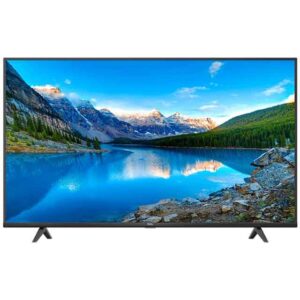 4K (UHD), Android TV, LEDs & Audio, TCL 4K (UHD), TCL Android TV
TCL 50 Inch 50P635 4K UHD Smart LED TV
0 out of 5(0)- Dynamic Contrast
- HDMI Support
- Cable Port
- USB
- A/V IN
- HDR Support
- Headphone
- 2 Years Warranty
SKU: n/a - 4K (UHD), Android TV, LEDs & Audio, TCL 4K (UHD), TCL Android TV
TCL 50 Inch 50P735 4K UHD Smart LED TV
4K (UHD), Android TV, LEDs & Audio, TCL 4K (UHD), TCL Android TVTCL 50 Inch 50P735 4K UHD Smart LED TV
0 out of 5(0)- Dynamic Contrast
- HDMI Support
- Cable Port
- USB
- A/V IN
- HDR Support
- Headphone
- 2 Years Warranty
SKU: n/a - 4K (UHD), Android TV, LEDs & Audio, TCL 4K (UHD), TCL Android TV
TCL 65 Inch 65C835 4K UHD Smart LED TV
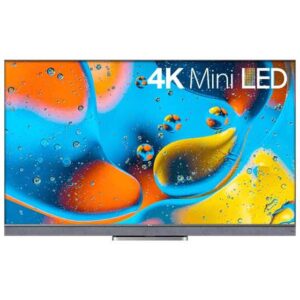 4K (UHD), Android TV, LEDs & Audio, TCL 4K (UHD), TCL Android TV
TCL 65 Inch 65C835 4K UHD Smart LED TV
0 out of 5(0)- Mini LED
- · 144Hz VRR
- · Quantum Dot
- · HDR10+
- · Dolby Vision IQ
- · Dolby Atmos
- · ONKYO
- · IMAX Enhanced
SKU: n/a - 4K (UHD), Android TV, LEDs & Audio, TCL 4K (UHD), TCL Android TV
TCL 65 Inch 65P735 4K UHD Smart LED TV
4K (UHD), Android TV, LEDs & Audio, TCL 4K (UHD), TCL Android TVTCL 65 Inch 65P735 4K UHD Smart LED TV
0 out of 5(0)- Dynamic Contrast
- HDMI Support
- Cable Port
- USB
- A/V IN
- HDR Support
- Headphone
- 2 Years Warranty
SKU: n/a
Showing all 5 results
TCL Android TV in Pakistan — Latest 2025 Range at Sadaat Electronics
What is a TCL Android TV and why it matters
TCL Android TV combines TCL’s picture technology with Google’s Android TV operating system, giving you a simple home screen, easy app downloads, and quick voice search. Whether you stream dramas, watch PSL matches, or mirror your phone for family photos, the interface stays familiar and responsive. Most TCL Android TVs in Pakistan support the apps local viewers use daily, such as YouTube and Netflix, and selected models include Google Assistant, Chromecast built-in, HDR10 and Dolby Audio for richer colors and sound. Because app availability and features can vary by model and region, we’ll always guide you to check the specific product page or call us before you decide.
At Sadaat Electronics (Mariam Center, Shop 5, Abdullah Haroon Road, Saddar, Karachi | WhatsApp: +92 330 9997564), our goal is people-first advice: match the TV to your room, your usage, and your budget. We also keep things transparent about pricing and stock. Due to FX and import duty changes, TCL Android TV price in Pakistan can shift—so you’ll see live rates on the category page and can call for today’s availability. If you’re browsing across brands or formats, our team will help you compare without jargon.
Local buying confidence & service
We serve customers across Karachi and deliver to Lahore through trusted partner networks, with practical guidance on wall mounting, basic cable needs, and power backup choices. If you’re moving from a non-smart LED or older smart platform, TCL’s Android TV makes the transition smoother with a voice-enabled remote on select models and Chromecast built-in for quick casting from Android and iOS apps. For families, parental controls and profiles (where supported) help keep content organized. For movie nights, look for models with HDR10 and Dolby Audio to elevate picture contrast and sound clarity.
Shopping with Sadaat Electronics also means you can verify warranty coverage, request a quick demo, and get help choosing accessories like HDMI cables or soundbars. Prefer to compare TCL with another Android TV brand? No problem—we’ll show you like-for-like options without jargon so you can make an informed decision for 2025 and beyond.
Before you choose: quick checks that actually matter
Make a short checklist and you’ll avoid surprises later. First, measure your viewing distance and wall width; this determines size. Second, list your top apps and whether you’ll pair Bluetooth headphones or a soundbar—this clarifies connectivity needs. Third, note your room’s light level and seating layout—brighter rooms may benefit from higher peak brightness and anti-glare considerations. Finally, confirm the ports you need (HDMI for consoles or set-top boxes, USB for media, an optical or HDMI ARC/eARC for audio). If anything is unclear, call/WhatsApp us and we’ll walk you through the exact model that fits.
Shop by Size: Find the Right TCL Android TV
32″ TCL Android TV — Compact & budget-friendly
Ideal for bedrooms, hostels, kitchens, and small office cabins, a 32 inch TCL Android TV focuses on the essentials: stable streaming, a clean interface, and low power draw. Picture resolution is typically HD or Full HD depending on model, which is well-suited for shorter viewing distances. If you mainly use YouTube, casual streaming, or cast from your phone, you’ll appreciate the simplicity and speed. This is also the most cost-conscious step into Android TV, making it a popular choice for first-time smart TV buyers in Pakistan.
If you’re comparing “TCL Android TV 32 inch price Pakistan,” remember that features like Bluetooth voice remote and Google Assistant can vary. Some 32″ models emphasize convenience and connectivity; others prioritize affordability. Confirm Wi-Fi band support and available ports before you commit. For renters or dorm rooms, we can supply a basic wall bracket or table stand guidance and help you plan a tidy cable path from the router to the TV.
40″ TCL Android TV — Small lounges & multi-user households
A 40 inch TCL Android TV suits small lounges or studio apartments where multiple people share the screen. You’ll usually step up in color and processing, making sports and talk shows look cleaner. Android TV’s recommendations help you discover new content without browsing endlessly, and select models may add snappier processors or additional HDR formats. If you plan to pair wireless headphones for late-night viewing, check that the model includes Bluetooth and test the range in your room layout.
When researching “TCL 40 inch Android TV price,” focus on what changes between variants: panel specs, HDR support, and the remote (standard vs Bluetooth voice remote). Even small differences can affect your daily experience, from voice search accuracy to how quickly apps launch. If you’re moving from a cable-only setup, we’ll show you how to mix traditional channels with streaming for a seamless lineup.
43″ TCL Android TV — Versatile for apartments
The 43 inch category is a sweet spot for many Pakistani apartments, balancing screen size with wall space and viewing distance. It’s common to find Full HD or 4K options at this size, so think about your content sources: if you stream mostly HD, a high-quality FHD panel can still look excellent; if you’re 4K-focused, step into a 4K model with HDR10 support for better contrast. With Android TV, voice search helps you launch shows quickly, and individual profiles (where supported) keep recommendations tidy.
Searches like “TCL 43 inch Android TV price Pakistan” will show a spread based on panel type and features. If you’re curious about cinematic upgrades or TCL’s 4K lineup, you can also explore our TCL 4K UHD collection here: TCL 4K UHD TVs. We’ll help you weigh the benefit of moving from 43″ to 50″ if your viewing distance allows.
50″ TCL Android TV — Family rooms & sports nights
Stepping to 50 inches delivers a clear upgrade for family rooms where everyone gathers for cricket, dramas, and movie nights. Many 50″ TCL Android TVs in 2025 will be 4K, and selected models may include advanced processing and expanded HDR support. If you’re pairing a soundbar, look for HDMI ARC/eARC so your TV remote can control volume. Gamers should confirm input-related features (such as game modes) and the number of HDMI ports to accommodate consoles and set-top boxes.
When comparing “TCL 50 inch Android TV price,” remember that panel tech and audio features tend to drive the price delta. If your room is bright or you sit farther back, we might recommend 55″ instead for a more immersive feel. We can also advise on mounts and cable routing so your setup looks clean from day one.
55″ TCL Android TV — Living rooms & entry-cinema feel
A 55 inch screen is where many households feel the jump to a “cinema-like” experience without overwhelming the wall. At this size, you’ll typically see 4K, HDR10, and improved motion handling on select models, which helps with fast sports and action scenes. Android TV’s Google Assistant integration (on supported models) lets you launch apps or check the weather hands-free, and Chromecast built in means your phone remains the remote you already know.
Search interest around “TCL 55 inch Android TV price Pakistan” often reflects the feature spread at this size—audio enhancements, processing, and remote type can differ. If cinematic detail is your priority, consider stepping into TCL’s 4K lines (see our curated range above). We’ll also discuss placement: a 55″ TV typically suits a 7–10 ft viewing distance. If you’re within 6–7 ft, 50″ may actually feel more natural.
65″ TCL Android TV — Bigger lounges & home-theatre vibes
At 65 inches, you’re into a truly immersive screen for larger lounges or open-plan living areas. This size emphasizes 4K content and benefits most from HDR10-enabled titles for punchier highlights. If you love weekend movie sessions or host watch parties, a 65″ TCL Android TV can transform the experience, especially when paired with a capable soundbar or speaker system. Double-check wall strength and mount quality; we can arrange appropriate brackets and professional installation guidance.
For “TCL 65 inch Android TV price Pakistan,” expect variation by panel tier and audio package. If you’re torn between 55″ and 65″, measure your seating distance and room width; our team can help you visualize the footprint and recommend a mount height. As screen size grows, cable management becomes more important—factor in HDMI cable lengths and a surge protector or UPS for stable operation during load-shedding.
What to Compare on a TCL Android TV
Smart platform & apps (Android TV OS)
Every TCL Android TV runs Google’s Android TV platform, which means a clean home screen, recommendations, and access to popular streaming apps. Exact app availability and update cadence can vary by model and region, so always confirm on the specific product page or ask us before you finalize. If you’ve seen “Google TV” mentioned on newer models, think of it as an evolved interface on the same Google ecosystem; both support voice search, casting, and the core streaming apps that matter to viewers in Pakistan.
For households mixing live channels and OTT streaming, Android TV makes source switching straightforward. Profiles (where supported) help separate kids’ recommendations from adults’. If you’re upgrading from a basic LED, the leap in usability alone is worth it—no need to buy a separate TV stick unless you’re chasing a niche app or a very specific interface preference.
Voice control & Bluetooth voice remote
“TCL Android TV with Google Assistant” and “Bluetooth voice remote” are popular search terms for a reason: voice search saves time. On supported models, you can press and hold the mic button on the remote to find shows, open apps, or look up quick answers. Some variants also enable hands-free control (microphones on the TV chassis), but that’s model-dependent—check the listing details. A Bluetooth remote also keeps you free from pointing directly at an IR sensor, which is helpful for wall-mounted setups.
Practical tip: confirm the remote type in the box contents or spec table. If you prefer voice queries, prioritize models that explicitly mention “voice remote” or “Google Assistant built-in.” We can demo how voice works in-store or over a quick video call.
Chromecast built-in & phone casting
“TCL Android TV Chromecast built in” means you can cast from compatible apps on Android and iOS without extra hardware. This is ideal for quick photo sharing, YouTube links sent on WhatsApp, or mirroring select apps for guests. Casting quality depends on your home Wi-Fi and the app’s capabilities; for the smoothest experience, keep the TV close to your router or use a reliable mesh node.
Households with multiple users love casting because anyone can launch content from their own phone. If you often mirror from laptops, check the model’s Chromecast and Wi-Fi specs, and consider a wired Ethernet connection if available for extra stability.
Picture essentials: resolution, panel type & HDR10
At the same screen size, picture quality can vary widely. Key variables include resolution (FHD vs 4K), panel type (standard LED vs higher tiers), and HDR formats. “TCL Android TV HDR10 Dolby Audio” points to two core upgrades: HDR10 can preserve more detail in bright and dark scenes, while Dolby Audio helps sound feel fuller. In bright lounges, look for models known for better peak brightness and anti-glare handling; for movie nights in dim rooms, consistent black levels matter more.
If you mainly stream HD content, a well-tuned FHD panel can still look clean, especially at 32–43 inches and shorter viewing distances. If you’re a cinema buff, 4K with HDR10 becomes more meaningful at 50 inches and above. We’ll help you weigh these trade-offs based on your room and seating plan.
Audio path: built-in speakers, Dolby Audio & soundbars
Built-in speakers handle everyday TV well, but a compact soundbar can transform movies and sports. Dolby Audio (where supported) enhances clarity and spatial cues for a more engaging experience. Check whether the TV has HDMI ARC/eARC to simplify soundbar control via the TV remote; this avoids juggling multiple remotes.
Late-night watchers often prefer Bluetooth headphones; confirm Bluetooth audio support on the specific model. For larger rooms (55–65 inches), we routinely recommend pairing the TV with a 2.1 or 3.1 soundbar for fuller dialogue and cleaner bass.
Connectivity & I/O: Wi-Fi, Bluetooth, HDMI & more
Ports and wireless standards directly impact daily convenience. Look for dual-band Wi-Fi for smoother streaming, Bluetooth for remotes/headphones/soundbars, and enough HDMI ports for your set-top box, console, and streaming device (if any). HDMI ARC/eARC streamlines audio; USB ports help for light media playback or power to accessories. Exact versions and counts differ by model, so verify before purchasing—especially if you run multiple consoles or plan to add a home-theatre receiver later.
If your router is far from the TV, consider a long HDMI to route a set-top box closer to the router, or ask us about a mesh node to stabilize 4K streaming. Clean cabling is easier to plan before installation than after.
Performance & gaming: motion, input & modes
Sports lovers and casual gamers should check for a dedicated “Game” or “Low Latency” mode that reduces input lag. Some models also advertise MEMC/motion smoothing—handy for sports, but you’ll want the option to toggle it for movies. If you own a newer console, ensure you have the HDMI port capacity you need and confirm support for your preferred audio path (e.g., eARC to a soundbar or AVR). We can walk you through a setup that balances gaming responsiveness with cinema-grade audio.
Remember: refresh rate, input lag numbers, and advanced gaming features vary by model and year. If a specific spec matters to you, call/WhatsApp us and we’ll match a unit that meets it—without upselling features you won’t use.
Build, mounting & energy considerations
Thin bezels help bigger screens feel elegant rather than overwhelming. For wall mounting, confirm the VESA pattern and wall strength; larger sizes (55–65 inches) benefit from sturdier brackets and careful height planning. In Pakistan’s load-shedding context, a surge protector or basic UPS can protect the TV and keep your router alive long enough to finish a show gracefully.
Power draw scales with screen size and brightness. If you binge long sessions, consider a soundbar that plays clearly at lower volumes so you don’t have to crank the TV speakers. Ask our team for bracket and cable recommendations to match your room design.
TCL Android TV Price in Pakistan (2025): How Pricing Works
Why prices fluctuate
Searches like “tcl android tv price in pakistan” or “tcl android tv price karachi lahore” surface a wide range of numbers because pricing isn’t static. FX movements, import duties, shipping, promotional bundles, and model year changes can nudge prices up or down. Stock cycles also matter: as newer variants arrive, previous models may get limited-time deals until inventory clears.
That’s why we keep live pricing on the category page and encourage a quick call for today’s offers or bundle options (wall mount, cables, or soundbar). Static price lists age fast; live guidance avoids surprises at checkout.
What drives the price gap between models
Screen size is the biggest lever (32 → 40 → 43 → 50 → 55 → 65 inches). Next are panel tier, processing, HDR support, and the remote (standard vs Bluetooth voice). Connectivity (extra HDMI ports, dual-band Wi-Fi, eARC) and audio features (Dolby Audio where supported) also add value. Warranty length and service terms affect the total cost of ownership—always compare coverage, not just the sticker price.
If you’re choosing between two close prices, ask what’s different: a stronger processor, an extra HDMI port, hands-free Assistant, or simply the model year. Tiny differences can meaningfully change day-to-day use, especially for families and gamers.
Karachi vs Lahore: delivery, install & final bill
City logistics can influence your final bill and installation timing. Karachi customers may get faster delivery and easier scheduling from our Saddar base; Lahore orders typically route via partner networks with clear ETA and installation guidance. Wall-mounting, cable runs, or accessory add-ons can change the total—so confirm the bundle you want when you call, and ask for a neat cable plan to avoid rework later.
If you’re in an apartment with strict mounting rules, let us know your building’s policy. We’ll suggest table-stand placement, slim mounts, or alternatives that pass building checks without compromising safety.
How to see live price & availability
For the current “TCL Android TV price in Pakistan” across sizes, open our dedicated category and check the listings in real time. You can also call or WhatsApp us for today’s stock and any running promotions:
TCL Android TV — Live Prices & Stock
Prefer side-by-side guidance? Tell us your room size, viewing distance, and app habits—we’ll shortlist options and explain the trade-offs clearly (no pressure).
Value-max tips (without cutting corners)
- Pick size by viewing distance first; don’t overpay for unused inches in a tight room.
- Bundle wisely: mount + HDMI + surge protector often costs less together than piecemeal.
- Prioritize must-have features (voice remote, Chromecast, HDR10) over nice-to-have extras.
- Ask about seasonal promos tied to model transitions or sporting events.
- Confirm warranty, DOA/inspection window, and service contact channels on your invoice.
Delivery, Installation & Mounting (Karachi & Lahore)
Delivery windows & what to expect
We dispatch TCL Android TVs from our Saddar, Karachi base with clear ETAs and call-ahead coordination. Within Karachi, most addresses can be scheduled for same or next business day once payment and stock are confirmed; in high-traffic corridors or during rain, we’ll offer the next available slot. Lahore deliveries route through partner networks and typically require an additional working day or two, depending on locality and building access rules. If you need a specific time band (e.g., evenings after 6 pm), tell us when booking—our team will align your slot with the installer’s availability to avoid repeat visits.
Before delivery, measure doorways, stair turns, and the wall area to ensure the TV and bracket fit cleanly. For apartment complexes with security desks or service elevators, share the entry protocol when you confirm your order. If your road is under construction or has restricted parking, let us know so the crew can plan safe unloading and carry-in. A quick pre-call checklist saves time on the day and keeps your setup smooth.
Wall-mount vs table-stand: choosing the right setup
Wall-mounting frees up furniture space and prevents accidental knocks, especially in busy lounges. Ask for the correct VESA bracket size for your TCL model; larger sizes (55–65 inches) benefit from heavy-duty mounts, while smaller screens (32–40 inches) work with compact brackets. Table-stand placement is ideal for renters or rooms with wiring inside the wall—just ensure the surface is stable and wide enough for the feet placement. Where possible, plan your viewing height so the screen center aligns roughly with seated eye level; this reduces neck strain and improves perceived picture quality.
We can advise on cable routing before drilling. If your router sits far from the TV, consider a discrete trunking route for Ethernet (if supported on your model) or set the TV close to a mesh node for stronger Wi-Fi. For corner walls, a swivel mount helps angle the TV towards the sofa. Families often request a child-safe height and a tidy cable path down to the console or set-top box—our installer will mark these out before fixing the mount.
Power, protection & backup (load-shedding realities)
Pakistan’s power conditions make surge and voltage protection essential. Pair your TCL Android TV with a good surge protector; if your area faces frequent dips, a basic UPS helps prevent abrupt shutdowns and keeps your Wi-Fi on long enough to exit a stream safely. Avoid daisy-chaining multiple cheap extension boards—one quality protector near the TV is cleaner and safer. If you stream over Wi-Fi, placing the router on the same UPS keeps both TV and internet alive for short outages, preventing app glitches or corrupted updates mid-stream.
Where possible, dedicate a power outlet to the TV and soundbar to reduce interference from high-draw appliances (irons, kettles, ACs). For older homes with limited sockets, we’ll suggest a safe layout that avoids overloading. During installation, keep ventilation clear around the TV and do not block the rear vents with tight cabinetry; modern slim designs still need airflow for consistent performance.
Accessories that make a real difference
Small add-ons can improve day-to-day use without inflating the budget. An HDMI cable rated for 4K at your expected length prevents random flickers and handshake issues; a low-profile bracket keeps the TV snug to the wall and helps cable management; and a reasonably sized soundbar adds clarity to voices in Pakistani dramas and news. If you plan late-night viewing, pair Bluetooth headphones (on supported models) to keep the house quiet. We’ll suggest the shortest practical cable lengths and label the inputs during installation so you know which port goes to which device.
Cross-shopping Android TVs from multiple brands? Compare models and sizes here: Android TV (All Brands) and Ecostar Android TV. We’ll help you shortlist based on room size, app mix, and audio plan.
Room-specific tips for Karachi & Lahore homes
In compact Karachi apartments (10×12 ft), a 43–50 inch TCL Android TV typically feels balanced; mount slightly above eye level if a center table sits between sofa and wall. For bright Lahore lounges with big windows, consider a 55–65 inch screen and position it perpendicular to the main light source; draw curtains during daytime movie sessions for better contrast. For shared spaces where kids watch cartoons on YouTube while adults browse news, enable profiles (where supported) to keep recommendations tidy. If your seating is asymmetrical, a tilt-swivel mount helps aim the screen to the main sofa without moving furniture.
Gamers should leave breathing room for consoles and confirm the number of HDMI ports during install. If your set-top box and soundbar both target HDMI, label cables and reserve the ARC/eARC port exclusively for audio. During handover, we’ll help you sign into Google safely, set a simple PIN, and enable automatic updates (if desired) so you get new features without manual effort.
Warranty & Installments in Pakistan
Official TCL Pakistan warranty: what it covers (varies by model)
TCL Android TVs sold through authorized channels in Pakistan include a manufacturer warranty—coverage duration and terms vary by model and batch. Your invoice, serial number, and stamped warranty card (if provided) are the key documents. Keep the original packaging and accessories until you’ve tested the TV thoroughly; this simplifies any service logistics. We’ll note the warranty period on your invoice and guide you to the correct service contact if you ever need it.
Because policies change across model years, confirm the exact coverage (panel, parts, labor) at purchase. If a TV includes a “panel-only extended” clause or separate terms for accessories like the remote, we’ll highlight that during checkout. When you call us, we can verify the unit’s batch and advise the official process to register or claim, if registration is applicable to that model.
DOA/inspection window & your first-week checklist
On delivery day, inspect the box before unsealing: look for dents or punctures. After power-on, test a 4K YouTube clip (for 4K models), try the voice remote (if included), and check all HDMI ports with your devices. Confirm Wi-Fi connection stability and run a quick audio check (dialogue clarity, left/right balance). If anything seems off, report it immediately so we can advise next steps within the DOA or inspection window.
Take photos of the serial sticker and invoice for your records. Avoid wall-mount drilling until basic functionality is verified; this keeps returns or service visits straightforward if an issue is detected on day one. If you’re in Lahore and using a partner installer, we’ll coordinate the same inspection routine so nothing is missed.
How claims typically proceed (practical guidance)
If a warranty issue appears, contact Sadaat Electronics with your invoice and a brief description (photos/videos help). We’ll confirm whether troubleshooting resolves it (e.g., cable swaps, input settings) and then guide you to the authorized service route if needed. Depending on policy and diagnosis, service may occur on-site for large sizes or at a service center. Timelines vary by part availability; we’ll keep you updated and help with documentation so the process is as smooth as possible.
Warranty does not cover accidental damage, power misuse, or unauthorized modifications. Using a proper surge protector and following ventilation guidelines helps protect your investment and supports a smoother claim if one is ever required.
Installments & easy-pay options (bank/partner dependent)
Installment availability depends on live partnerships with banks, card issuers, and third-party financiers; these change over time and may differ by city. To keep information accurate, we confirm eligibility on the day you order—tenure, markup (if any), and minimum invoice thresholds are set by the provider. If you prefer a particular bank or a 0% plan, mention it when you call; we’ll check current campaigns and share the exact steps to avail.
For documentation, keep your CNIC, card, and latest contact details handy. If the provider requires on-the-spot verification or an OTP, finish that before scheduling delivery to avoid delays. We can also suggest value bundles (mount + cables + surge protector) that fit your installment budget without adding clutter to the bill.
How to Choose the Best TCL Android TV for 2025 (Pakistan)
Step 1 — Size by room & viewing distance
Start with your space. In 10×12 ft rooms common in Karachi apartments, 43–50 inches usually feels balanced. For larger lounges in Lahore or open-plan spaces, 55–65 inches gives a more cinematic feel without overwhelming the wall. Aim to sit far enough to take in the full screen comfortably; if you find yourself scanning with your eyes, size down, and if the picture feels small or text looks tiny, size up.
Also consider wall width, furniture depth, and where windows throw light. In bright rooms, a slightly larger screen can make subtitles and details easier to see at casual viewing distances. If you mount above a console, ensure the center of the screen is close to seated eye height for strain-free watching.
Step 2 — Match panel & resolution to your content
If your daily mix is YouTube, cable channels, and occasional streaming, a well-tuned FHD set at 32–43 inches can be perfectly satisfying. If you stream a lot of films and sports in 4K, or you sit farther back at 50 inches and above, move to 4K with HDR10 support for noticeably better contrast and detail. Panel tiers and processing matter too; they influence motion handling and overall clarity during cricket, football, and action scenes.
Remember that not every feature appears on every model. If you care about specific HDR formats, motion options, or hands-free control, shortlist models that list these clearly, then compare side by side.
Step 3 — Smart features that actually help
Android TV’s voice search, recommendations, and Chromecast built-in take the friction out of everyday watching. A “Bluetooth voice remote” is especially handy for wall-mounted setups because you don’t need to aim at the TV. Google Assistant support varies—some models keep the mic on the remote; others may offer hands-free. If privacy matters, choose the remote-mic approach and use the mic only when needed.
Households with kids benefit from profiles (where supported) and simple content rules. If you often share videos from WhatsApp or watch party links, casting from your phone is quicker than typing—another reason Chromecast built-in is worth prioritizing.
Step 4 — Plan your audio and ports on day one
Built-in speakers work for everyday TV, but dialogue clarity in dramas and talk shows improves dramatically with a compact soundbar. Check for HDMI ARC/eARC so your TV remote controls soundbar volume. Count your devices—set-top box, console, streaming stick—and make sure you have enough HDMI ports without constant swapping. If you watch late at night, confirm Bluetooth audio for wireless headphones.
Before drilling, map a clean cable path and label each input. Reserve the ARC/eARC port for audio only; plug consoles into the other HDMI ports to avoid handshake hassles later.
Step 5 — Budget, warranty & timing
Prices move with FX, model cycles, and local promos. Decide your must-haves first (size, HDR10, voice remote, casting), then compare two or three models around your budget. Ask about official warranty terms at checkout and photograph the invoice and serial sticker for your records. If you’re looking for the best value, time your purchase around model transitions or big sporting events that often trigger bundle deals.
Prefer installments? Share your bank or card preference when you call so we can check the latest campaigns and minimum invoice thresholds. It’s better to finalize the plan before scheduling delivery to keep the process smooth.
Quick decision paths (Pakistan-friendly)
Movie-first families: 50–55 inches, 4K with HDR10, HDMI ARC/eARC to a 2.1 soundbar.
Compact bedrooms/hostels: 32–40 inches, prioritize voice remote and Wi‑Fi stability.
Sports & casual gaming: 50–65 inches, check motion options and a “Game/Low Latency” mode.
Mixed-use, bright lounge: 55–65 inches, plan curtain or lighting control, consider a swivel mount.
FAQs
Is TCL Android TV different from a “smart TV”?
“Smart TV” is a broad term. TCL Android TV runs Google’s Android TV platform, which gives you Google Play apps, voice search, and Chromecast built-in. Other smart TVs may use different operating systems with different app stores and features.
Does every TCL Android TV include Google Assistant and Chromecast?
Assistant and Chromecast built-in are common across many TCL Android TVs, but implementations vary by model and year. Some rely on a voice remote; others may support hands-free. Check the specific product listing or ask us to confirm before you order.
Which size fits a 10×12 ft Karachi room?
Most households prefer 43–50 inches at that room size. If your seating is closer than 7 ft, 43 inches may feel more comfortable; at 8–9 ft, 50 inches tends to feel more immersive.
Do TCL Android TVs support HDR10 and Dolby Audio?
Many models support HDR10 and Dolby Audio, especially in the 4K range, but exact support depends on the model. We’ll help you match the feature set to your usage and budget and confirm support at checkout.
Android TV vs Google TV — what’s the difference?
Think of Google TV as a newer interface on top of Google’s TV ecosystem. Both run the same core apps and casting. If you’re used to Android TV, you’ll settle into Google TV quickly if your chosen model uses it.
Can I pair Bluetooth headphones or a soundbar?
Yes, on supported models. Bluetooth headphones are great for late-night viewing, and a Bluetooth or HDMI ARC/eARC soundbar can dramatically improve clarity. We’ll confirm compatibility and suggest a clean wiring plan during installation.