Looking for a TV that just works—no apps, no sign-ins, no learning curve? A Simple LED TV (also called a non-smart LED) is the plug-and-play choice for cable/satellite users, guest rooms, hostels, and shops across Pakistan. It turns on fast, shows your channels clearly, and costs less than smart or Android models of the same size. At Sadaat Electronics (Saddar, Karachi), we stock practical sizes with the everyday essentials—clean picture, easy remote, and dependable ports—to fit bedrooms, lounges, hostels, and small businesses.
On this page, you’ll find quick picks by size, plus plain-language guidance on resolutions (HD Ready 720p vs Full HD 1080p), USB/HDMI use, wall-mounting, power and warranty basics for Pakistani homes, and whether you should stay Simple or step up to Smart/Android. If you’re browsing broader TV categories, you can also explore LEDs & Audio on our site.
Shop by Size (Quick Picks)
32-inch Simple LED
Best for: small bedrooms, hostels, kitchens, and guest rooms. A Non smart LED 32 inch typically pairs with local cable, a set-top box, or a basic media player. Most 32″ Simple LEDs are HD Ready 720p, which is well-matched to the content quality you’ll get from standard cable in Karachi, Lahore, and Islamabad. From a typical viewing distance of 6–7 feet in a compact room, text (like news tickers) stays reasonably legible and motion is smooth enough for dramas, talk shows, and cricket highlights.
What to check: at least one HDMI for your set-top box (two if you also connect a game console), a USB port for movies/photos, and a straightforward remote with clear number keys—ideal for elders and rentals. If you plan to wall-mount, note the VESA size and make sure you’ll have side-facing ports for easy USB access. For hostels or shared spaces, look for a sturdy table stand and consider labeling HDMI inputs so guests can switch sources without calls for help. If you’re browsing price-wise options like “Simple LED TV under 30000 PKR,” always check live product listings—availability varies by brand and seasonal deals.
40-inch Simple LED
Best for: medium bedrooms and small lounges. A 40″ Simple LED gives a noticeable upgrade in screen real estate without a big jump in footprint. Depending on the model, you may find either HD (720p) or Full HD 1080p panels; either way, the added size makes cricket, dramas, and news more immersive—especially if the room allows a 7–8-foot viewing distance. For cable or a basic HD set-top box, a clean 1080p panel can make graphics and channel logos crisper compared to 720p.
What to check: two HDMI ports are recommended (set-top box + media player/console) and one USB is usually enough if you copy files from a laptop or phone occasionally. Pay attention to brightness and anti-glare coatings if your lounge gets daylight from balconies or street-facing windows. If you plan to upgrade later, confirm there’s an audio-out (3.5mm or optical) for a future soundbar—tile-floored Pakistani rooms can be echo-prone, and a simple soundbar adds a lot of clarity for news and commentary.
43-inch Simple LED
Best for: larger bedrooms, offices, or living rooms where people sit 7–9 feet away. At 43″, a Simple LED 43 inch is often paired with Full HD 1080p, which keeps tickers and channel guides nicely sharp and helps sports look cleaner. This size also suits small cafés or waiting areas where the screen needs to be visible from multiple angles without the complexity of smart TV menus.
What to check: aim for two HDMI inputs minimum (set-top box + secondary device), and ensure the USB supports common media formats if you run promos or slides in a shop. Check the stand width against your furniture; many 43″ models use feet at the corners, so you’ll need a wider surface. For wall installations, measure cable paths in advance—side-facing ports reduce the chance of crimping HDMI cables against the wall. If you’re choosing between 40″ and 43″, consider furniture width and viewing distance first, then resolution.
50-inch Simple LED
Best for: larger lounges, drawing rooms, and small commercial spaces like bakeries, salons, and clinics. A Simple LED 50 inch commands attention without the cost of smart features. At normal lounge distances (8–10 feet), a good 1080p panel will keep edges clean and text readable for news tickers, stock scrollers, and sports scores. For cafés or showrooms, non-smart also means no pop-up app updates—just switch on and display content from your set-top box or USB drive.
What to check: make sure your TV console or wall area supports the physical width; verify VESA mount compatibility and anchor strength in plaster or brick walls common in Karachi and Lahore apartments. If you’ll run the TV for long hours (e.g., as signage), prioritize models with accessible ventilation and consider an automatic power-off timer to rest the panel after closing time. For multi-device setups (STB + media player + occasional laptop), target 2–3 HDMI ports so you aren’t constantly swapping cables.
Resolution & Picture Basics (Crystal without the “Smart” stuff)
HD Ready (720p): When it’s Enough
For many Pakistan households using standard cable or a basic set-top box, an HD Ready simple LED 720p panel is absolutely fine—especially at 32 inches in compact rooms. Most local channels broadcast at quality levels where 720p preserves natural-looking faces and readable tickers without overpaying for features you won’t use. If your typical viewing is dramas, talk shows, news, and kids’ cartoons, you’ll get a clean, dependable picture with simple, fast startup—no app logins or updates in the way.
Choose 720p when your seating distance is short (around 6–7 feet for 32″) and your content is mostly cable or USB media rather than Blu-ray or higher-bitrate sources. A good 720p panel also tends to be more forgiving with lower-quality sources; it won’t magnify compression noise the way a higher-resolution screen might at the same size. If you’re buying for a hostel or guest room, the HD Ready route keeps costs in check while staying reliable for everyday TV.
Full HD (1080p): When to Step Up
If you’re leaning toward 40–50 inches—or you watch a lot of sports, scrolling tickers, and channel graphics—Full HD simple LED 1080p is worth it. The jump to 1080p keeps edges crisp and small text easier to read across the room, which matters for cricket scores, financial tickers, and YouTube via HDMI (from a laptop or media player). On larger screens, the added pixel density helps scenes look less “blocky,” even from 8–10 feet away in a lounge or drawing room.
Choose 1080p when you often connect better sources (an HD set-top box, console, or laptop) or you’re considering 43″ and 50″ sizes. It’s also a smart pick for small businesses—salons, clinics, bakeries—where on-screen menus or promotional slides run from USB/HDMI and must stay sharp throughout the day. If you’re browsing “Full HD simple LED 1080p price Pakistan,” remember: prices vary by brand, panel type, and promotions. Always check the live product cards on our site before deciding.
Panel & Brightness Basics: Room Lighting in PK Homes
Local rooms tend to have mixed lighting—tube lights, daylight from balconies, and reflective tile floors. Look for a panel with decent brightness and an anti-glare finish if your TV wall faces windows. For day viewing, a brighter panel maintains contrast so faces don’t look washed out; for night viewing, use the TV’s picture presets (often labeled “Standard,” “Cinema,” “Dynamic”) and reduce backlight to bring out shadow detail without eye strain.
Motion settings on non-smart LEDs are usually simple: “Sharpness,” “Contrast,” “Brightness,” and sometimes a “Noise Reduction” toggle. Start with standard presets and nudge sharpness down if edges look artificially haloed. If local cable looks grainy, a mild noise reduction can help; for HDMI sources like a console or laptop, keep it off to retain detail. Simple adjustments go a long way—no complicated app menus required.
Ports & Connectivity (USB/HDMI Made Simple)
USB & HDMI Essentials
Most Simple LED TV USB HDMI setups cover the basics: plug in your set-top box via HDMI for the cleanest signal, and use USB to play movies, photos, or music from a flash drive. For households that switch between a set-top box and a laptop or console, aim for at least 2×HDMI inputs so you’re not constantly unplugging cables. If you plan to run a media player (like a compact HDMI stick) alongside the set-top box, those two HDMI ports will be occupied—so consider a model with a third.
Check that the USB input supports the file formats you commonly use (e.g., MP4, MKV, JPEG). Some TVs read larger drives only if they’re formatted a certain way—if a drive doesn’t show up, a quick reformat to a common file system (like FAT32 for smaller drives) often fixes it. For family use, label cables and inputs (HDMI 1: STB, HDMI 2: Laptop) so everyone can switch sources without help.
Audio Out: Soundbars & Clarity in Echo-Prone Rooms
Concrete walls and tiled floors common in Karachi, Lahore, and Islamabad can reflect sound and make dialogue harder to hear. If you watch a lot of news and dramas, an external speaker can help. Look for a 3.5mm headphone out or an optical (SPDIF) port to connect a soundbar. Even a basic 2.0 soundbar can add vocal clarity, making talk shows and commentary easier to follow at lower volumes—handy for late-night viewing in apartments.
Before buying a soundbar, check if your TV allows separate volume control for the audio out or supports “PCM” output modes for optical connections. Keep cables tidy and avoid running them parallel to power cables to minimize hum. If you plan to eventually add a soundbar, confirm the port type in advance so you don’t get stuck with adapters later.
Wall-Mount vs Table-Top: VESA, Cable Access & Safety
Wall-mounting saves space and removes the risk of a TV being knocked over in homes with kids. Verify the VESA size (e.g., 100×100, 200×200) and choose a bracket that supports your TV’s weight. For simple LEDs with rear-facing ports, a tilting bracket can create the slack needed for HDMI cables; side-facing ports make life easier, especially when you often plug in USB drives. When mounting on brick/plaster walls, use proper anchors rated for the load, and avoid placing the TV directly above a heat source.
Table-top stands are perfect if you move furniture seasonally or plan to re-sell the TV later. Ensure your console is wide enough—many 43″ and 50″ models use feet at the corners rather than a central stand. In shops and offices, consider a lockable cabinet or a cable management sleeve to keep USB drives and HDMI wires secure and out of sight.
Prefer a specific brand? Explore EcoStar Simple LED models within our Simple LED range for size and port options that match everyday Pakistan use.
Power, Warranty & After-Sales (Pakistan-Specific)
Voltage Stability: Surge Protection & UPS Basics
Homes and shops in Karachi, Lahore, and Islamabad can experience voltage dips and spikes—especially around peak hours or during seasonal load management. A surge protector is a small, affordable layer of safety for any Simple LED you buy; it helps buffer sudden spikes that can stress power supplies and reduce panel life. If your area faces frequent brownouts, consider a modest UPS to give the TV time to shut down gracefully and to protect attached devices like set-top boxes and media players. Place the surge protector somewhere visible so family or staff can easily switch the TV cluster off after use rather than leaving it idling.
Keep cables tidy and away from heat sources. If the TV is wall-mounted, plan the power socket and any extension behind the set so plugs aren’t bent at extreme angles. For shops that run content all day, set an automatic power-off timer where available to rest the panel after closing time. A clean electrical setup makes troubleshooting easier—and it’s often the difference between a five-minute fix and a service call.
Brand Warranty: What It Usually Covers (and How to Claim)
Warranty terms for Simple LED TV with warranty Pakistan vary by brand and series. In general, the warranty covers manufacturing defects in the TV and panel, while physical damage, liquid ingress, or misuse are excluded. Some brands handle service through authorized centers; others provide in-home visits within city limits. Because terms can change, always check the exact coverage and duration on the product page or invoice at the time of purchase rather than relying on assumptions.
To claim warranty, you’ll typically need the original invoice and the TV’s serial number. Keep the box and foam for at least the first few weeks; service teams sometimes request safe transport. If you buy from Sadaat Electronics, keep our phone/WhatsApp handy: +92 330 9997564. Our team can guide you to the right service channel and help you prepare basic checks (source, cables, power) before a technician visit, saving you time.
Service & Returns: How Sadaat Electronics Supports You
We aim to solve setup problems quickly so you spend more time watching and less time troubleshooting. If your new TV won’t display from a set-top box, we’ll help you verify inputs (HDMI vs AV), try a different cable, and rule out power issues. For remote control or audio-out questions, we’ll walk you through quick fixes like re-seating batteries, checking TV speaker settings, or enabling PCM on optical output if your soundbar requires it. If a unit requires brand-level service, we’ll connect you with the right center to avoid back-and-forth.
You can reach us or visit the store for support: Sadaat Electronics, Mariam Center, Shop 5, Abdullah Haroon Road, Saddar, Karachi. Bring your invoice for faster assistance. For deliveries, please keep the unboxing video (if you recorded one) until you’ve tested inputs and basic functions—it helps verify condition if a courier-related issue is suspected. Our goal is to make after-sales simple and predictable so you buy with confidence.
Simple vs Smart vs Android — Which One Do You Need?
Simple (Non-Smart) LED: Lowest Cost, Plug-and-Play
A Simple LED TV without Android is ideal when you just need channels and occasional USB playback—no apps, no login screens, no software updates. It powers up quickly, uses fewer system resources, and is generally easier for elders, kids, and rental guests to operate. You save money versus a smart variant of the same size, which can be redirected to better speakers, a surge protector, or an extra HDMI cable. If you stream rarely, you can still plug in a laptop or an HDMI media stick when needed and keep day-to-day usage fuss-free.
Choose Simple if your household leans on cable/satellite, you want the lowest maintenance, or you’re equipping guest rooms, hostels, and shop floors. For many buyers comparing “Simple LED TV price in Pakistan,” the non-smart path offers the best value-per-rupee at 32–43 inches, with clear picture for talk shows, dramas, and sports highlights without paying for apps you won’t open.
Smart TV: Built-in Apps for Occasional Streaming
Smart TVs add YouTube and other apps, which is convenient if you stream weekly and don’t want to connect a laptop or media stick. However, app interfaces can change and updates may prompt you for sign-ins. If multiple family members use the TV, profiles and passwords add some overhead. For buyers who watch mostly cable but want occasional streaming nights, a simple LED plus an inexpensive HDMI stick can be just as flexible—and easier to “reset” by unplugging a single device.
If you know you’ll stream often and want familiar apps on the home screen, consider stepping up to a smart model. Alternatively, browse our Android TV category if you prefer the Android/Google TV ecosystem and regular app updates.
Android TV (Google TV): Full App Ecosystem & Voice Control
Android TV (and Google TV) brings the richest app store, voice search, and frequent updates—ideal if your household streams daily. You’ll typically get better casting options from Android phones, and app support tends to be broader. The trade-off is higher cost versus Simple LEDs and a little more menu complexity. For smooth streaming and futureproofing, many buyers choose Android TV at 43″ and above where the visual benefit meets the experience upgrade.
If you’re leaning toward bigger screens with frequent streaming, also explore 4K UHD TVs for sharper detail and HDR options—best matched with fiber internet and newer streaming boxes. If that sounds like overkill for your needs today, a Simple LED remains the practical, budget-friendly pick for cable-first homes.
Buying Checklist (60-Second Scan Before Checkout)
Space & Distance: Fit the Screen to the Room
Measure seating distance first. Around 6–7 feet pairs well with 32″, 7–8 feet with 40″, and 8–10 feet with 43–50″ depending on your eyesight and room layout. Check the stand width against your furniture—many 43–50″ models use feet at the corners; your console should be at least as wide as the foot-to-foot distance. For wall-mounts, confirm the VESA size in the TV specs and pick a bracket with enough tilt to plug in HDMI/USB without stressing cables.
Consider room lighting at different times of day. If your wall faces a window, look for anti-glare finishes or plan your curtains accordingly. Keep power sockets accessible, and label inputs (HDMI 1: STB, HDMI 2: Laptop) so the family can switch sources without help. Good setup up front prevents day-two support headaches.
Use-Case: Cable, USB, Console, or Signage?
If you’re cable-first, prioritize a clean panel, quick startup, and a reliable remote. For frequent USB playback, ensure the TV supports your common file formats and that the USB port is easy to reach. For light console gaming or occasional HDMI casting, aim for at least 2×HDMI. Shops and clinics running slides should verify loop/repeat options and keep a labeled “media USB” so staff don’t mix it with personal drives.
If your family streams only now and then, a Simple LED plus a compact HDMI stick is flexible and keeps costs down. If you stream daily and want native apps, short-list Android TV models. If you’re stepping into bigger screens and better sources, compare Android TV or 4K UHD features—then decide if the upgrade justifies the budget this year or later.
Budget Bands: Pick Features First, Then Size
Start with your must-haves: size to match distance, resolution to match content (720p for cable-first 32″, 1080p for 43–50″), and enough HDMI/USB for your devices. After that, compare two or three models within your budget—panel quality and port placement can differ even at the same size. If you’re exploring “Cheap simple LED TV under 30000 PKR,” shortlist 32″ models and check live prices on our site; promotions and stock can change week to week.
When you’re ready, shortlist two sizes and compare bezels, stand widths, and port access. Our team at Saddar can also help you compare models side by side, so bring your distance and use-case notes for quick recommendations.
Installments, Delivery & Coverage in Pakistan
Installment Options: How to Check Eligibility
We understand that many buyers prefer a Simple LED TV installment plan Pakistan option to spread payments. Installment availability can vary by bank, card type, and ongoing promotions. To confirm whether your card or CNIC qualifies, contact us on WhatsApp: +92 330 9997564. We’ll guide you on the current options and the documents typically required. If an installment is not available for a specific model, we can suggest alternatives in the same size and resolution that might qualify.
For in-store requests, bring your original CNIC and the payment card (if applicable). If you’re applying for a store-managed plan, we’ll outline the steps up front (application, approval, delivery/pickup). Terms such as markup, tenure, and minimum order value are set by banks/finance partners and can change—please verify the latest details at checkout or by messaging us before you finalize.
Delivery: Karachi, Lahore, Islamabad & Beyond
We deliver across major cities in Pakistan. Within Karachi, delivery windows depend on your location and current courier schedules. For Lahore and Islamabad, timelines can vary based on the courier route and stock location. To see the most accurate shipping fee and ETA, proceed to checkout and enter your address details—charges and timing are calculated live before payment.
Upon delivery, inspect the carton for visible damage. Unbox carefully and keep the packing until you’ve tested the TV’s basic functions (power on, picture, remote, HDMI, USB). Record a short unboxing clip if possible—it can help us and the courier resolve any transit-related issues faster.
In-Store Pickup (Saddar, Karachi)
If you prefer to collect the TV yourself, visit us at Sadaat Electronics, Mariam Center, Shop 5, Abdullah Haroon Road, Saddar, Karachi. Call or WhatsApp ahead so we can confirm stock and set the unit aside. Bring your invoice or order confirmation, and the card used for payment if required by your bank. For parking and loading, our team will guide you to the nearest safe pickup point outside the center.


 DAWLANCE FREEZERS DFD 200 GD
1 × ₨73,800
DAWLANCE FREEZERS DFD 200 GD
1 × ₨73,800 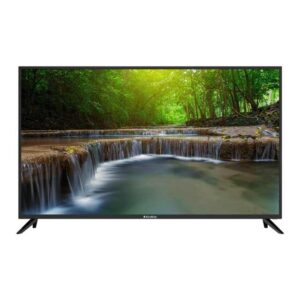 EcoStar CX-43UD962 A+ LED TV
1 × ₨88,000
EcoStar CX-43UD962 A+ LED TV
1 × ₨88,000 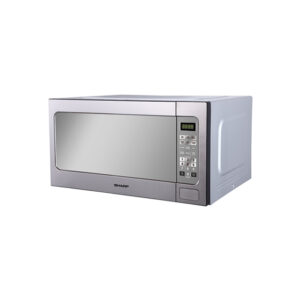 Sharp Microwave Oven R-562CT(S) 62L
1 × ₨80,000
Sharp Microwave Oven R-562CT(S) 62L
1 × ₨80,000  DAWLANCE FREEZERS 91997 SIGNATURE LVS
1 × ₨91,000
DAWLANCE FREEZERS 91997 SIGNATURE LVS
1 × ₨91,000 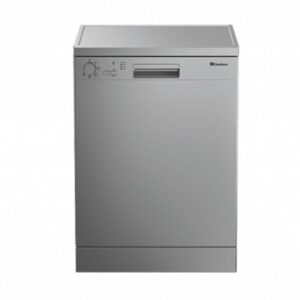 DAWLANCE DISH WASHER DW-1350
1 × ₨85,000
DAWLANCE DISH WASHER DW-1350
1 × ₨85,000 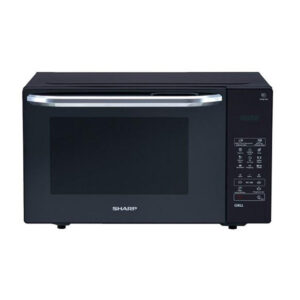 Sharp Microwave Oven R-735MT-K
1 × ₨69,000
Sharp Microwave Oven R-735MT-K
1 × ₨69,000 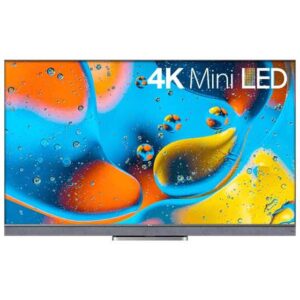 TCL 65 Inch 65C835 4K UHD Smart LED TV
1 × ₨305,000
TCL 65 Inch 65C835 4K UHD Smart LED TV
1 × ₨305,000 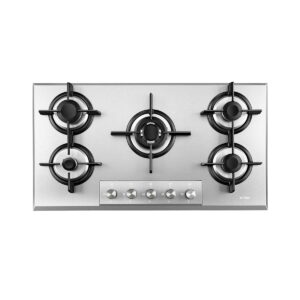 GAS HOB 5 LOHAS BURNER SS TOP GLS 90501
1 × ₨125,040
GAS HOB 5 LOHAS BURNER SS TOP GLS 90501
1 × ₨125,040  DAWLANCE FREEZERS 91997 SIGNATURE (INV)
1 × ₨99,000
DAWLANCE FREEZERS 91997 SIGNATURE (INV)
1 × ₨99,000  EcoStar CX-32U579M A+ Frameless LED TV
1 × ₨37,500
EcoStar CX-32U579M A+ Frameless LED TV
1 × ₨37,500